The Fleet AI Assistant allows fleet managers to ask questions about their fleet using natural language. The assistant queries all available fleet data - including vehicles, drivers, safety events, HOS, maintenance, and DVIR - and returns detailed, data-backed answers.
Note
This feature is in BETA and is available only upon request. If you do
not
see
it in your Fleet App, please contact your reseller to have the feature
enabled for your account.
Accessing the Fleet AI Assistant
The Fleet AI Assistant can be accessed in two ways:
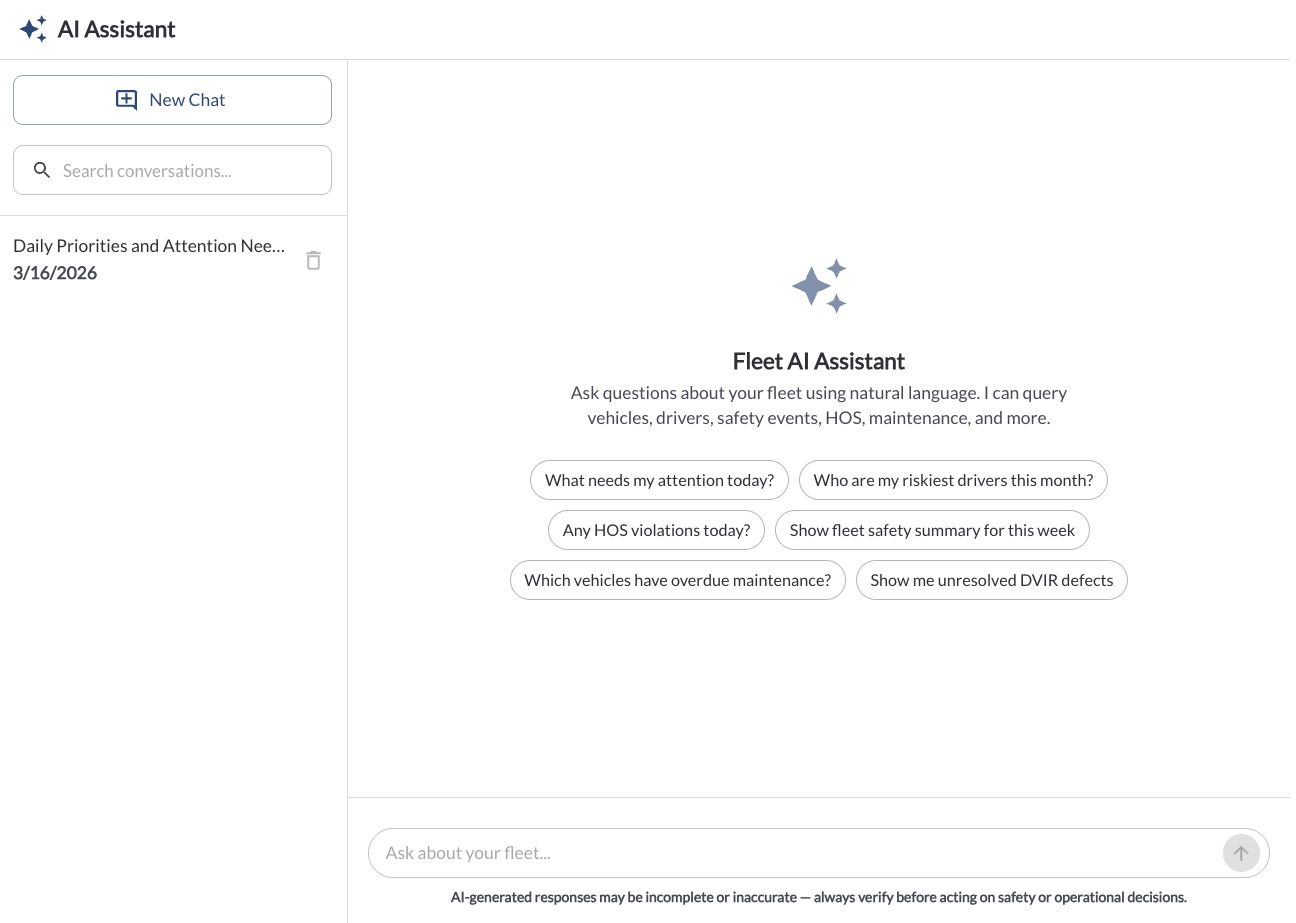
From the AI Assistant page
- Click AI Assistant in the left side menu of the Fleet Portal.
- The AI Assistant page will open with a new chat ready to start.
- On the left panel, you can view all previous conversations, search through them, or click New Chat to start a fresh conversation.
- When starting a new conversation, the assistant will suggest a set of example questions to help you get started.
From any page in the Fleet Portal
- Click the AI Assistant button in the bottom-right corner of any page.
- The assistant will open as a side panel on the current page.
- From the panel you can:
- Type a question and have a conversation with the assistant.
- Start a New Chat.
- Expand to full screen - this will open the AI Assistant page with your current conversation.
- Search a previous conversation.
- Close the panel.
Asking Questions
- Type your question in the Ask about your fleet... input field.
- The assistant will query your fleet data and return a detailed answer, including supporting data, tables, and context where relevant.
- You can continue the conversation by asking follow-up questions in the same chat.
Example questions you can ask:
- What needs my attention today?
- Who are my riskiest drivers this month?
- Any HOS violations today?
- Show fleet safety summary for this week.
- Which vehicles have overdue maintenance?
- Show me unresolved DVIR defects.
Note
AI-generated responses may be incomplete or inaccurate. Always verify before acting on safety or operational decisions.
Note
Previous conversations are saved and can be accessed from the left panel on the AI Assistant page, or via the search field in the side panel.