The Date Picker is a user-friendly tool designed to help you quickly choose date ranges using a mix of predefined options and a calendar interface for custom date selection.
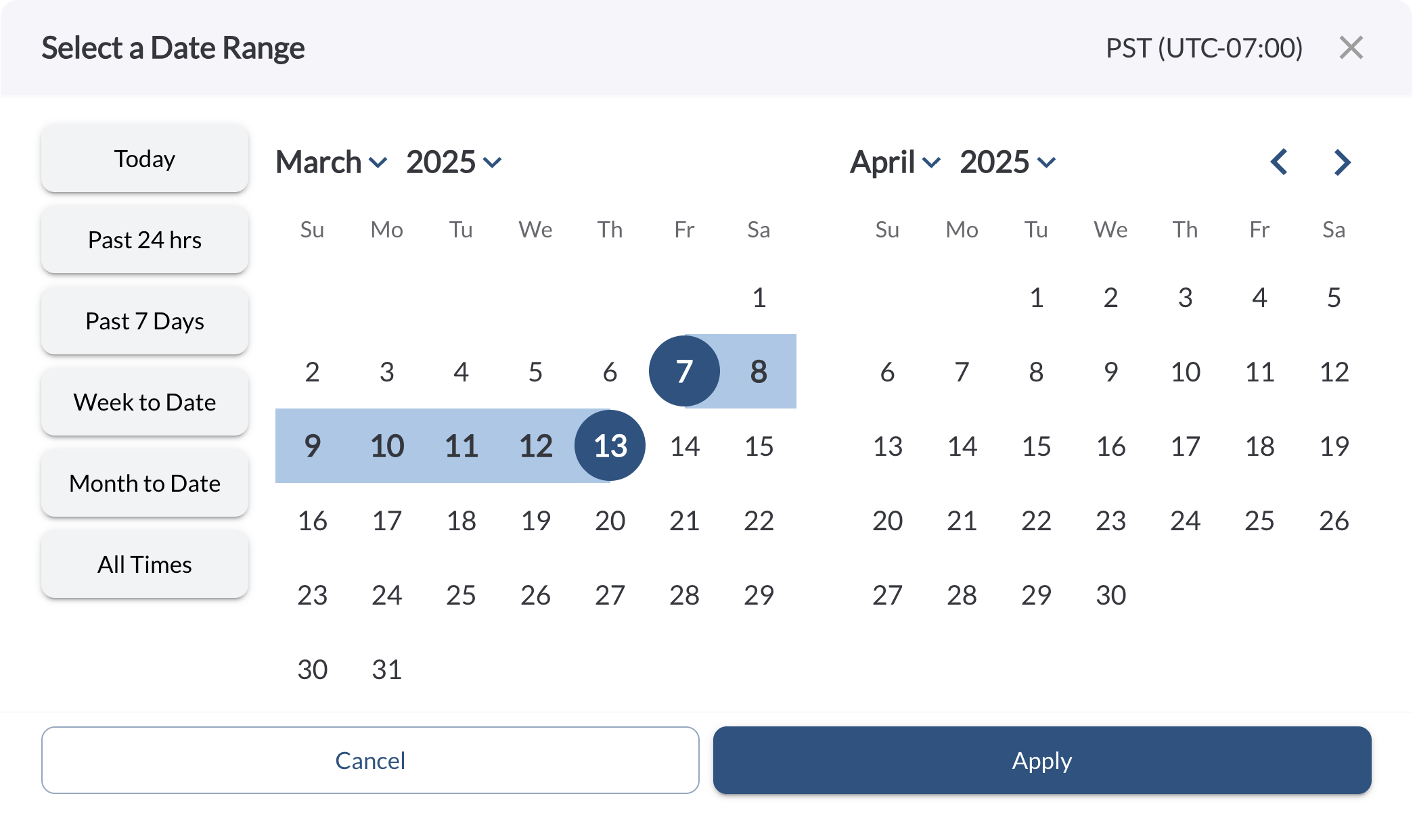
The Date Picker offers the following functionality:
-
Calendar View: Displays the current month alongside the next month. Use the arrow buttons to move between months.
-
Fleet Timezone – Defined in the fleet settings and visible in the top right corner of the dialog box. For more details, refer to the article Fleet Settings.
-
Quick-Select Date Ranges – Preset options for frequently used time periods:
-
Today – Data from midnight to midnight of the current day (fleet timezone).
-
Past 24 hrs – Data from the last 24 hours, counted from the current time.
-
Past 7 Days – Data from the last seven full days (midnight to midnight, fleet timezone).
-
Week to Date – Data from the start of the current week until now (fleet timezone).
-
Month to Date – Data from the beginning of the current month until now (fleet timezone).
-
All Time – Entire available data without time limits.
To choose a date range, either click a predefined range or select specific dates directly from the calendar. For custom ranges, click your start and end dates, then confirm by clicking Apply.

Tip
- Use predefined ranges for quick and convenient filtering.
- Navigate easily through months using the arrow buttons for custom date selections.