Camera recordings can be retrieved and downloaded directly from devices*. A 30-second clip can be exported quickly, or the advanced download tool can be used to retrieve longer recordings of up to 4 minutes for additional context.
Downloading 30-second recordings
- Go to the Recordings page.
- Select the vehicle you want.
- Choose the date and time of the recording.
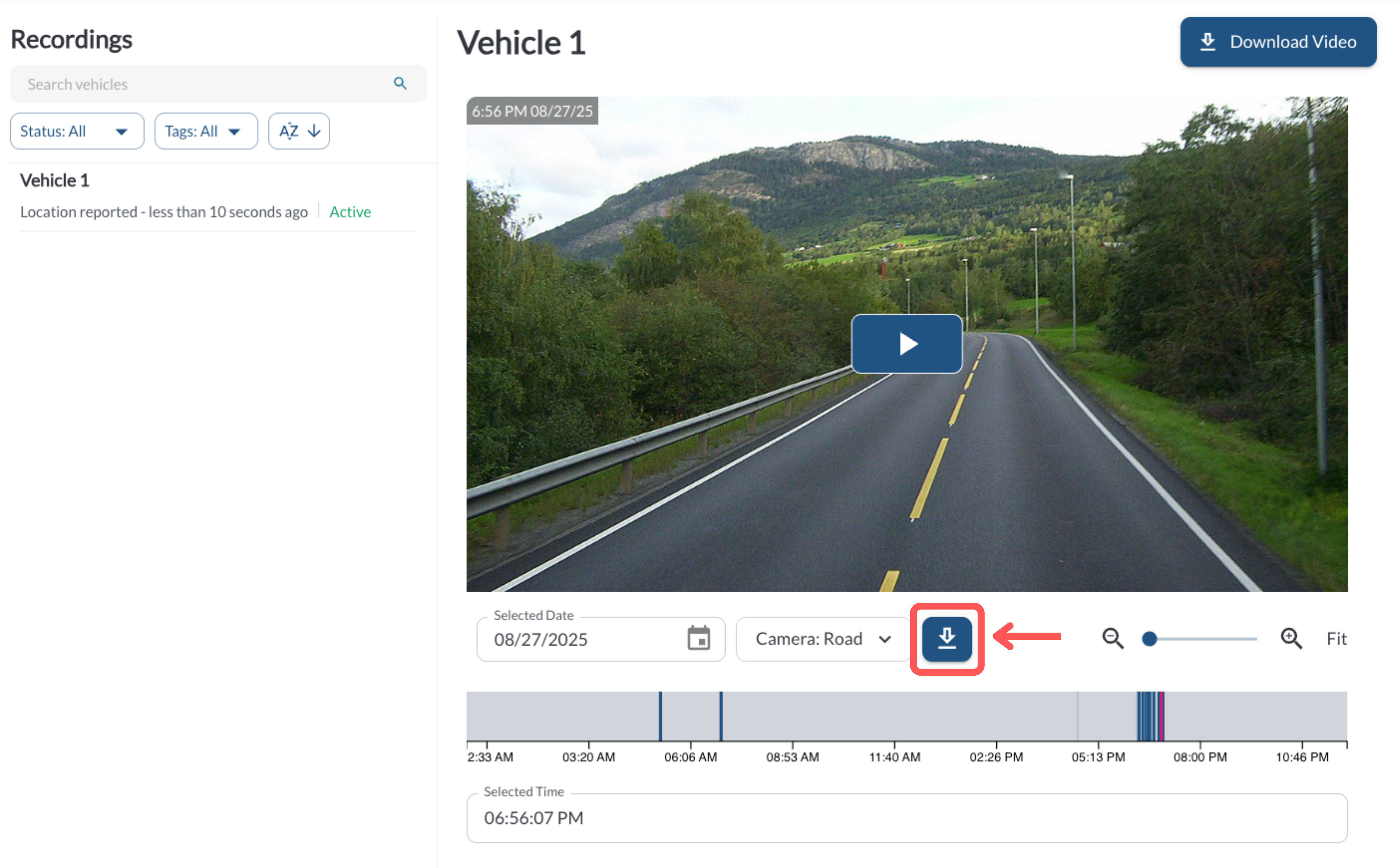
- Click the Quick Download button.
- A 30-second video file will be downloaded to your device.
Tip
This option is best for quickly exporting short 30 sec clips without
any extra configuration.
Downloading longer recordings
- Go to the Recordings page.
- Select the vehicle you want.
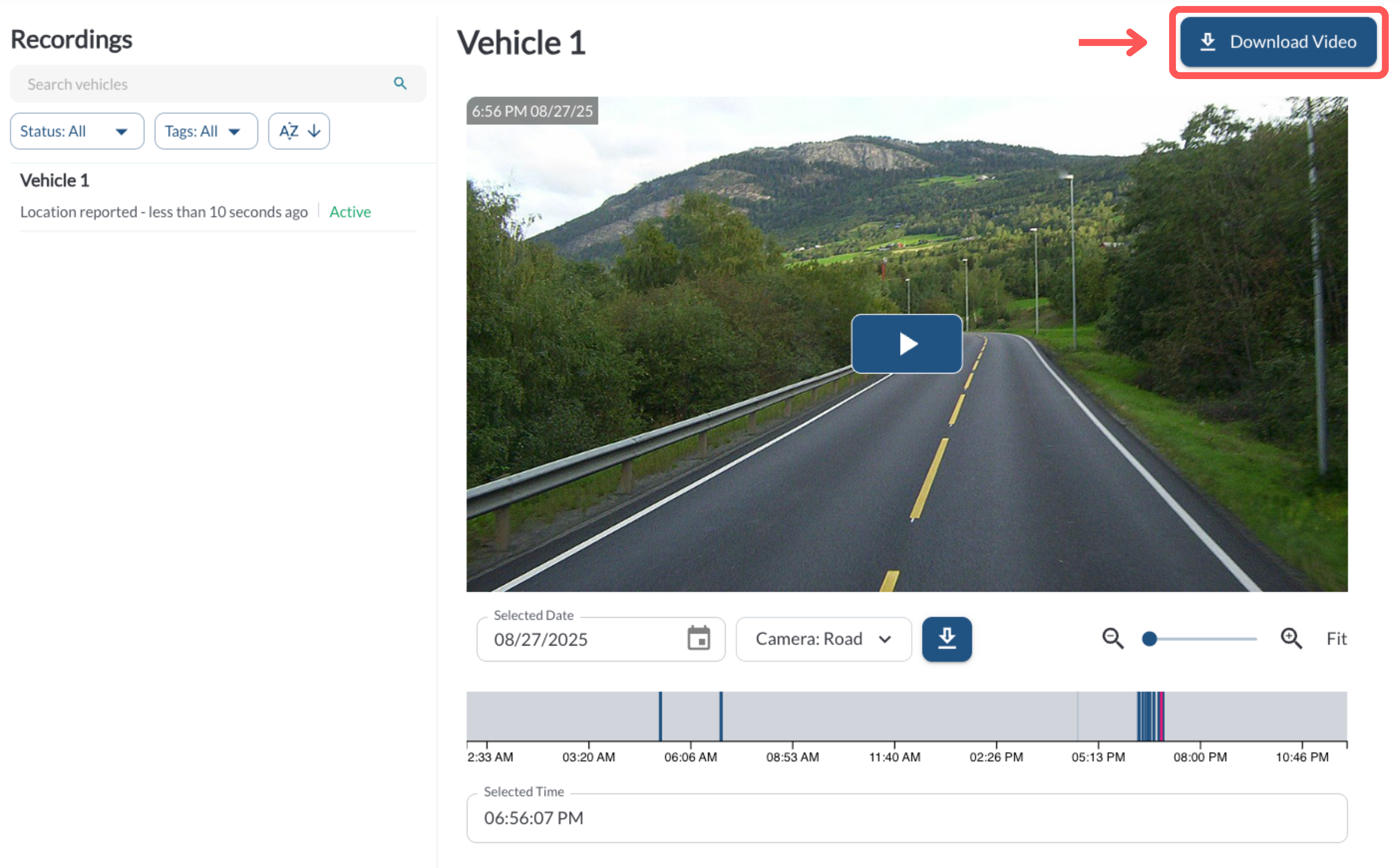
- Click Download Recording to open the Recording Download dialog.
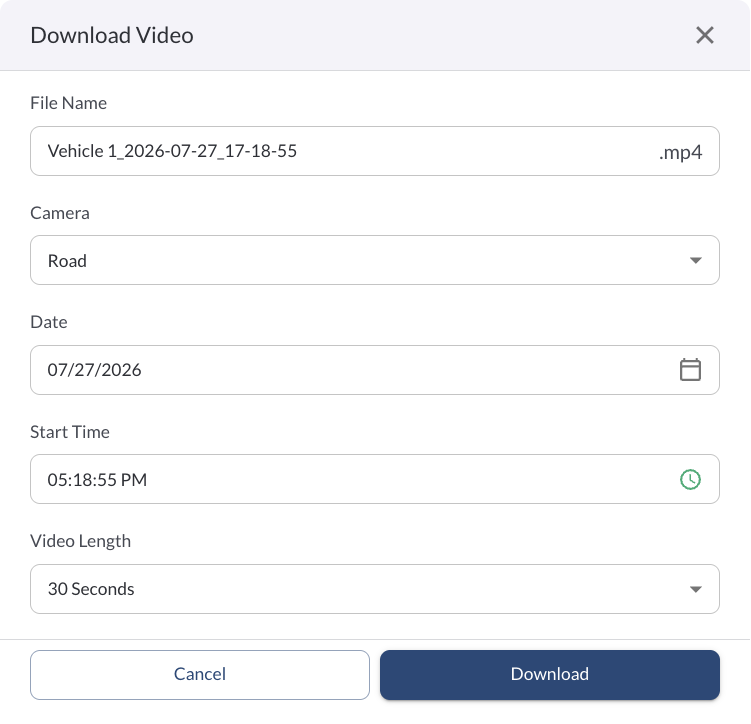
- In the dialog, set:
-
File Name: Edit the default file name if needed.
-
Camera: Select either Road or In-Cabin.
-
Date: The day of the footage.
-
Time: The start time for the clip.
-
Length: Select the clip duration (up to 4 minutes).
- Click Download. The video will be retrieved from the camera and saved to your device.
Note
You will not be able to proceed if there are no recordings available
for the selected time.
Downloading from Snapshot Review
You can also download a video clip directly from the Snapshot Review page, using the same Download Video dialog.
- Go to Snapshot Review and select the vehicle you want.
- Click the download icon above the timeline to open the Download Video dialog.
- In the dialog, set:
-
File Name: Edit the default file name if needed.
-
Camera: Select either Road or In-Cabin.
-
Date: The day of the footage.
-
Start Time: The start time for the clip.
-
Video Length: Select the clip duration (up to 4 minutes).
- Click Download. The video will be retrieved and saved to your device.
* Subject to available cellular network connectivity.