Adding a new vehicle to your fleet is a straightforward process that ensures your vehicle and its associated device are properly configured for tracking and management.
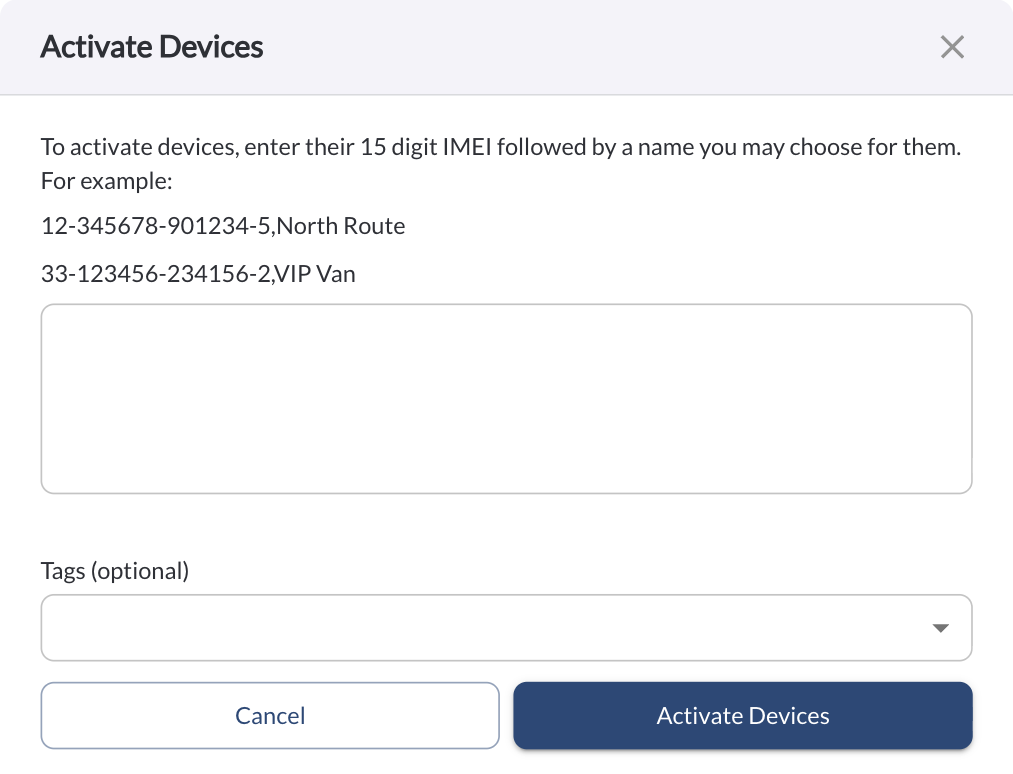
Click the Add Vehicles button to open a dialog box for activating devices for your new vehicles.

To add a vehicle, enter its 15-digit IMEI number and assign a name of your choice.
For multiple entries, you can enter several 15-digit IMEI numbers, each followed by a corresponding name.
For Example:
123456789012345, My Vehicle Name
098765432154321, My Second Vehicle Name
Select a tag from the Tags dropdown to apply it to all devices added in this activation (optional).