This guide explains how to create an Installer user in the RoadEazy fleet portal. Installer users have limited access, intended specifically for completing hardware installations using the Installation Wizard.
-
Log in to the RoadEazy fleet portal - Use your credentials to access the fleet portal.
-
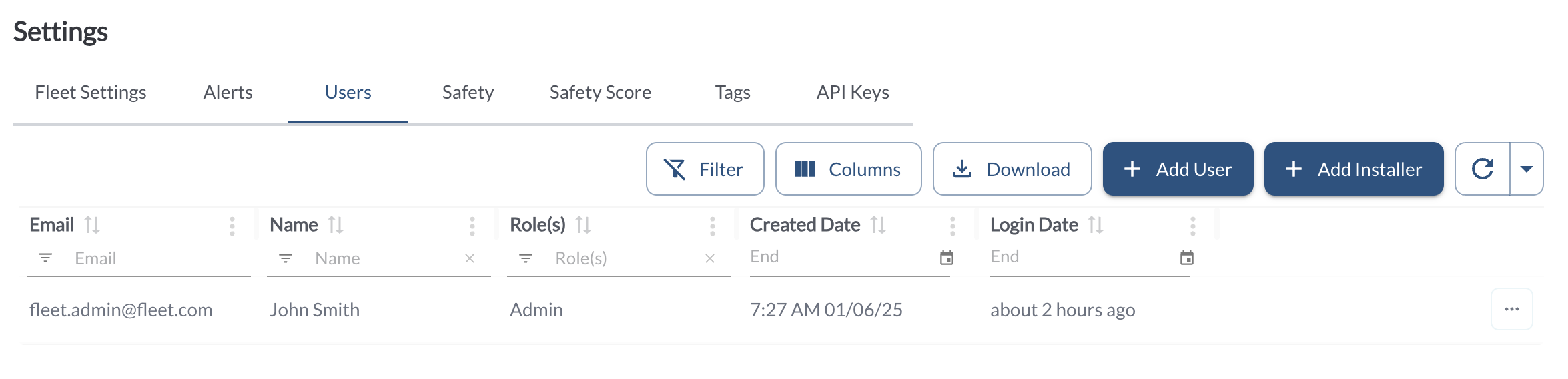
Navigate to Settings > Users - In the side menu, click the Settings icon. From the tabs at the top of the page, select Users to open the user management section.
-
Click Add Installer - Click the Add Installer button to open the user creation form.
-
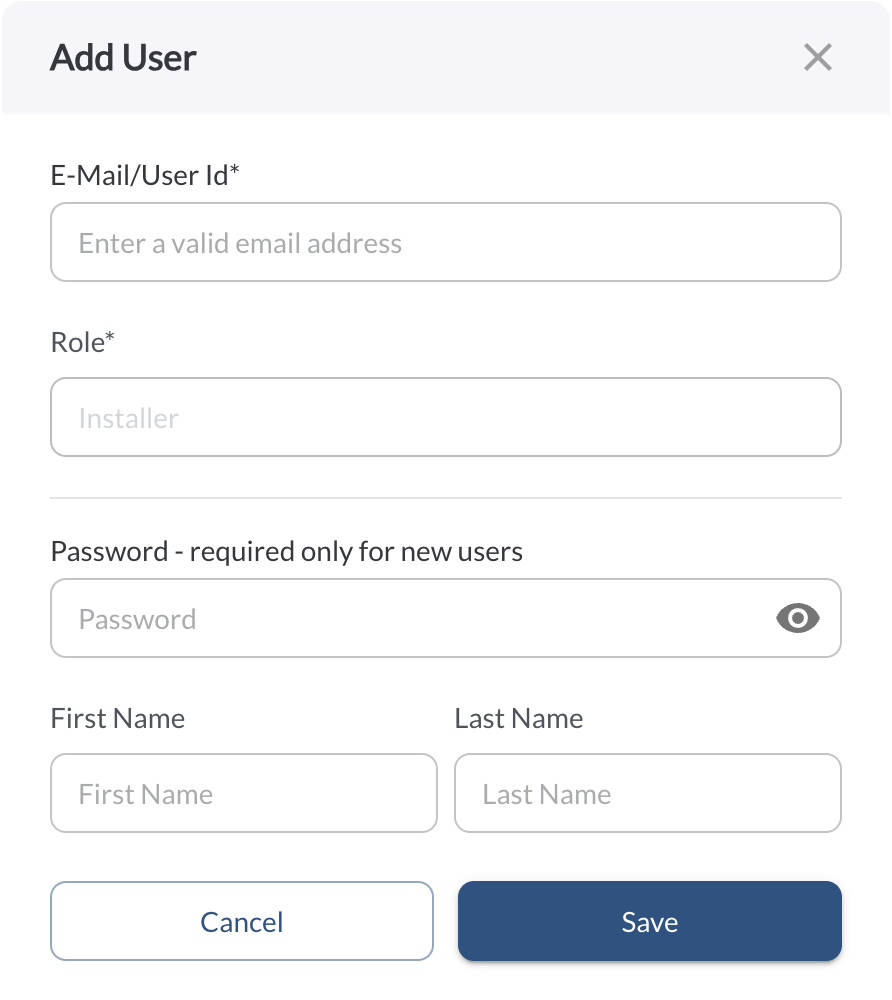
Enter user information
-
Email Address – Must be unique; used for login
-
Password – Temporary or permanent; can be changed later
-
First and Last Name – Used for user identification
-
Click Save - Once saved, the new user will appear in your list with the role “Installer.”

Note
You can delete an installer user at any time.