The IFTA Report allows you to export jurisdiction-level mileage data required for quarterly fuel tax filing. The exported file reflects your selected quarter, timezone, and current table view, making it suitable for audit-ready reporting.
Export Formats and Content
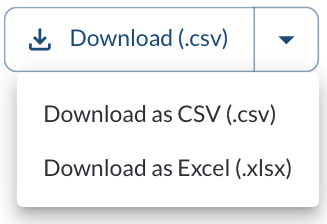
The IFTA report can be exported in the following formats:
CSV
The CSV export includes:
- A flattened dataset containing all records from the current report view
- Vehicle- and jurisdiction-level mileage for the selected quarter(s)
Note
CSV exports do not include multiple tabs. All data is provided in a single file.
Excel (.xlsx)
When exporting in Excel format, the file includes multiple tabs:
- All Data Contains the full dataset, including all vehicles, jurisdictions, and distances across the selected quarter range.
- Quarter-Specific Tabs A separate tab is created for each selected quarter. Each quarter tab includes: A list of jurisdictions Total distance per jurisdiction for that quarter
Note
This structure makes it easier to review, validate, and prepare data for quarterly IFTA filings when multiple quarters are selected.
How to Export the IFTA Report
- Open the IFTA page in the Fleet Portal.
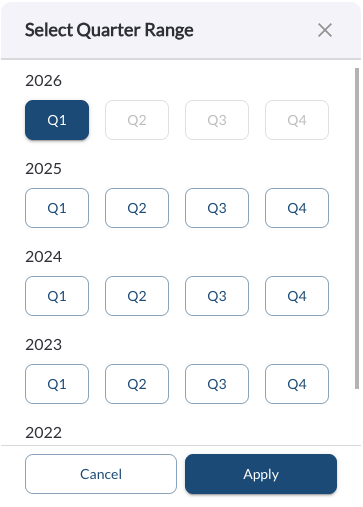
- Select one or more quarters using the quarter selector.
- Choose the desired timezone.

- Apply any vehicle or tag filters as needed.
- Review the jurisdiction summary and vehicle breakdown.
- Click Download and select the desired file format (CSV or Excel).
- The file will be generated and saved to your device.
Note
The export reflects exactly what appears in the report at the time of
download.
Note
Selecting multiple quarters affects both the table totals and the exported file structure.
Tip
For IFTA filing, use the quarter-specific Excel tabs to easily reference jurisdiction totals per quarter.