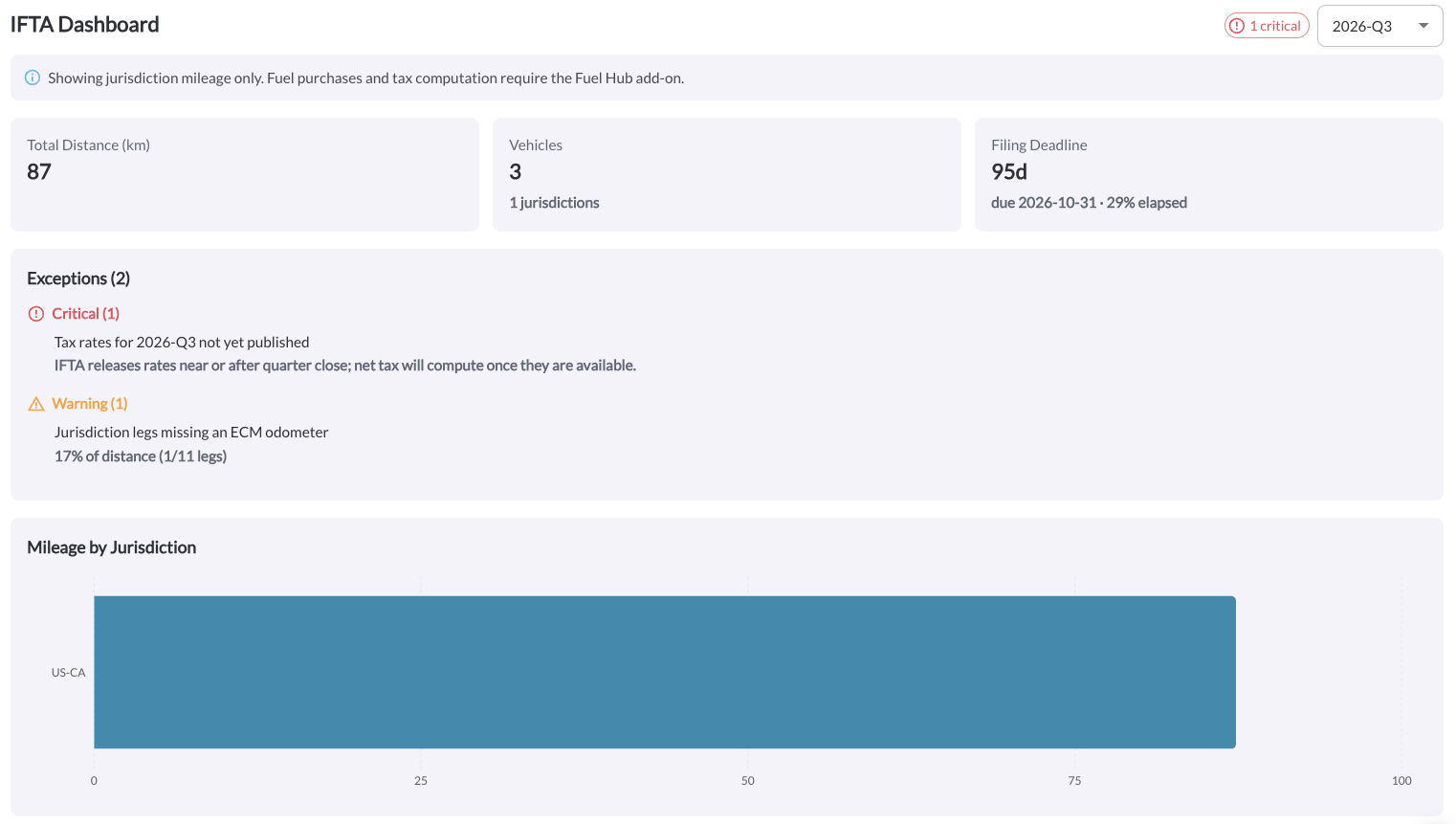
The IFTA Dashboard gives you a real-time snapshot of your fleet's quarterly filing status, including mileage totals, filing deadlines, and any issues that need attention before you file.
Filing Status & Quarter Selector
Use the quarter dropdown to switch between reporting periods. The status badge (e.g., "Ready to file") shows whether the selected quarter is ready for filing or still has outstanding issues.
Note
Fuel purchases and tax computation require the Fuel Hub add-on. Without
it, the dashboard shows jurisdiction mileage only.
Summary Cards
-
Total Distance (mi) – Total miles driven across all jurisdictions for the selected quarter.
-
Vehicles – Number of vehicles included in the filing, and how many jurisdictions they crossed.
-
Filing Deadline – Days remaining until the filing due date, the due date itself, and how much of the quarter has elapsed.
Exceptions
Lists any blocking issues that need to be resolved before filing (e.g., missing odometer data). If there are none, this section shows "No blocking issues found."
Mileage by Jurisdiction
A chart showing distance driven broken down by jurisdiction for the selected quarter.
Filing Calendar
Shows all four quarters of the year with their date ranges and filing due dates, highlighting the current quarter.