The Distance Records report (IVMR - Individual Vehicle Mileage Record) shows detailed per-vehicle mileage and odometer data by jurisdiction, supporting your IFTA filings.
The Distance Records report (IVMR - Individual Vehicle Mileage Record) shows detailed per-vehicle mileage and odometer data by jurisdiction, supporting your IFTA filings. It supports downloading, sorting, filtering, resizing columns, and other customization options. For a complete guide, refer to the article How to Use Tables in the App.
The table includes the following columns, each providing specific mileage information:
| Vehicle |
The vehicle associated with the recorded mileage. |
| Jurisdiction |
The state or province the mileage was recorded in. |
| Date |
The date the mileage was recorded. |
| Start Odometer |
The vehicle's odometer reading at the start of the recorded segment. |
| End Odometer |
The vehicle's odometer reading at the end of the recorded segment. |
| Jurisdiction Distance |
The distance driven within this jurisdiction. |
| GPS Distance |
The distance calculated from GPS data for this segment. |
| Tags |
The tags associated with the vehicle. |
Filtering
-
Use the Date Picker to select a different date range. The default date range is Today. For more details on using the Date Picker, read the article How to Use the Date Picker.
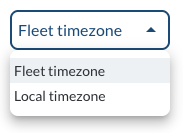
- Use the Timezone Filter to select how timestamps are displayed and how data is fetched based on the selected timezone.
Refresher Widget
Keep your data up to date by using the Refresher Widget. This allows you to reload the table data so you're always viewing the latest information. To learn more, read the article How to Set the Refresher Widget.
Custom Report Widget
Save time by using the Custom Report Widget to store report configurations with your selected filters, columns, sorting, and grouping. This allows you to quickly return to commonly used report setups and set a default configuration for easy access. For more information, read the article How to Use the Custom Report Widget.