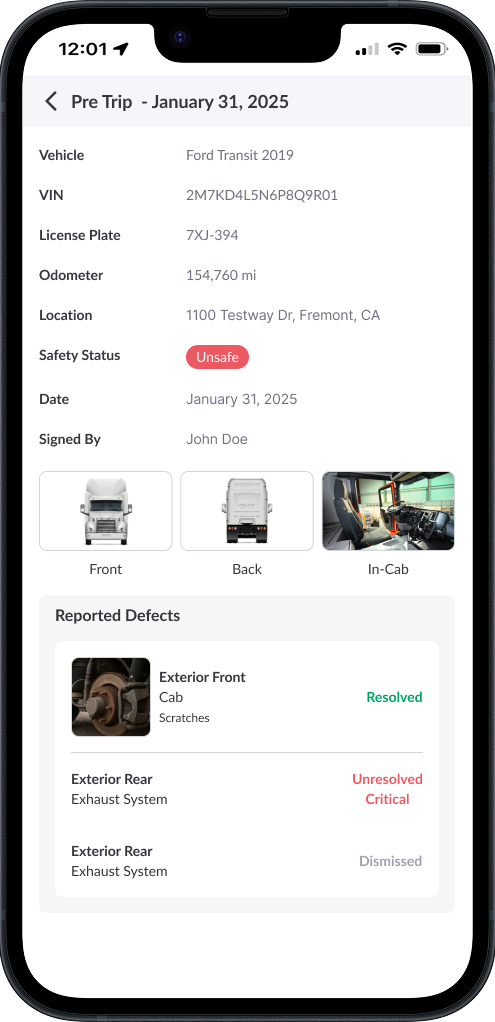
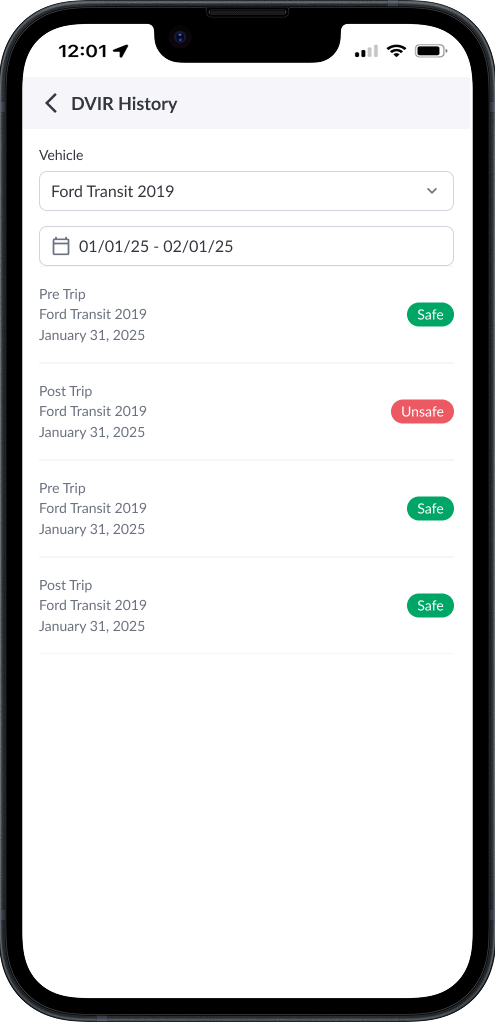
DVIR History lets you review past inspections, including vehicle details, safety status, and any reported defects.
Steps to View DVIR History
-
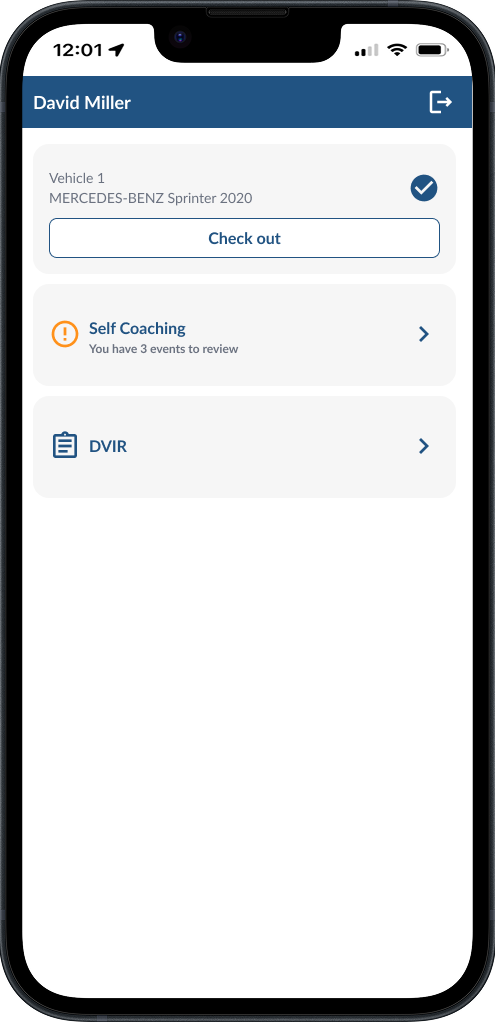
Open DVIR Tab - From the Driver App home page, tap DVIR.
-
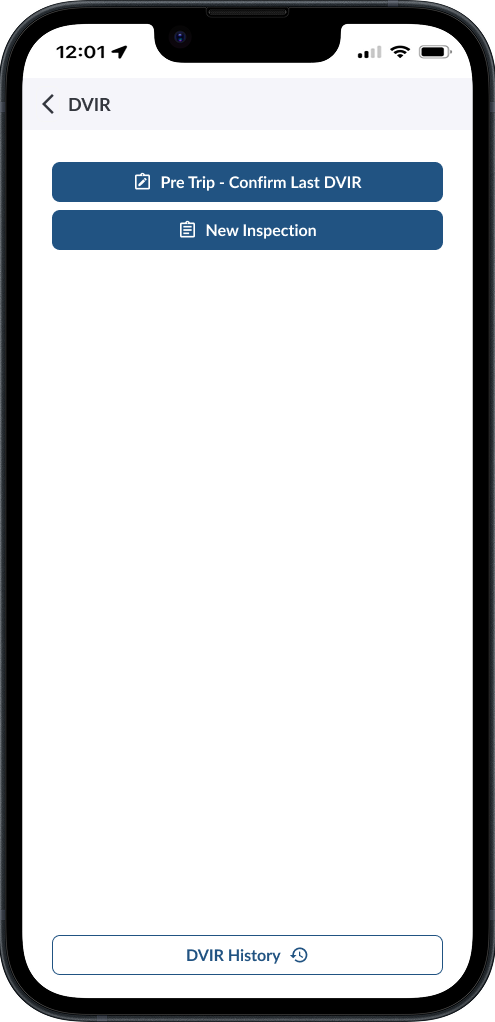
Select DVIR History.
-
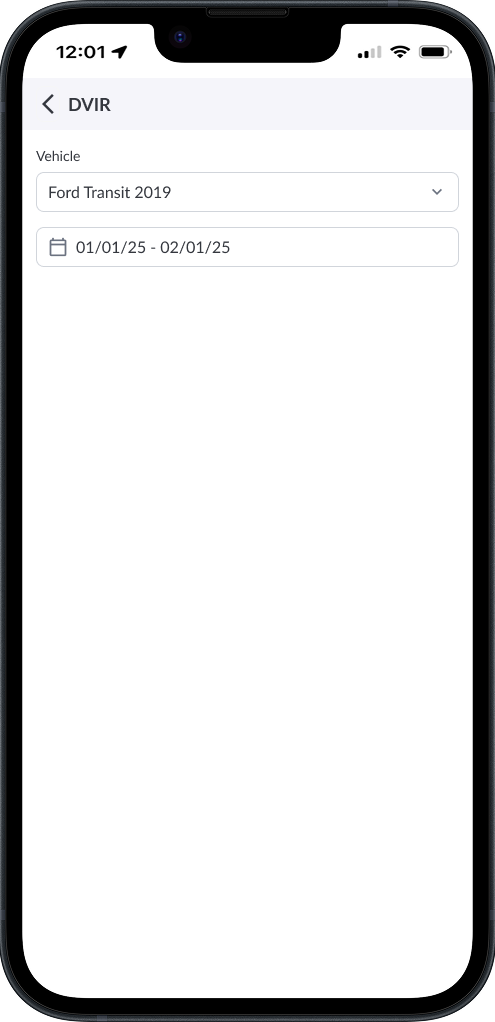
Select vehicle and date range.
-
Browse the list of pre-trip and post-trip inspections.
-
Tap an inspection to see full details, including defects and status.