The Installations Report provides a record of all completed installations across the fleet within a selected date range. This report helps fleet managers and administrators verify successful installs, track installer activity, and review any attached documentation such as images.
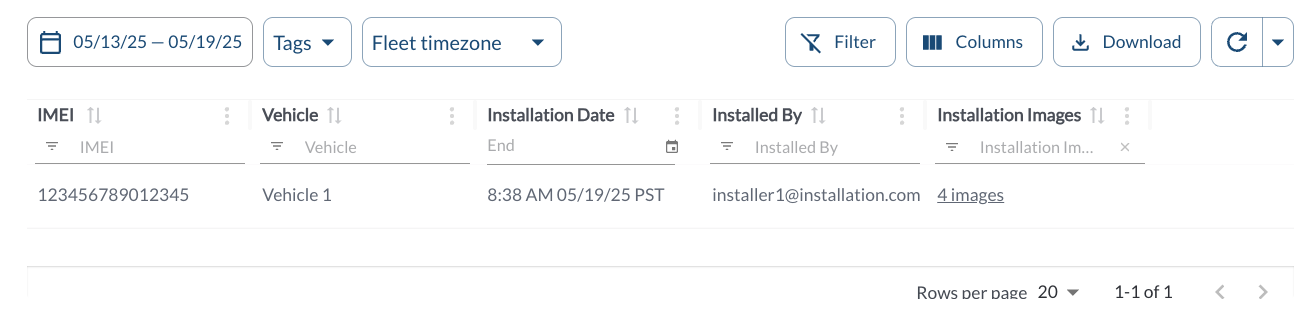
Installations Details
The table displays all installation records. It supports downloading, sorting, filtering, resizing columns, and other customization options. For a complete guide, read the article How to Use Tables in the App.
The table includes the following columns, each providing specific installation details:
| IMEI |
The IMEI number of the installed device |
| Vehicle |
The name of the vehicle the device was installed on |
| Installation Date |
The recorded date when the installation was completed |
| Installed By |
The name of the user who completed the installation |
| Installation Images |
A count of images uploaded during the installation process. Clicking this field opens a view of the photos |
Filtering
Refresher Widget
Keep your data up to date by using the Refresher Widget. This allows you to reload the table data so you're always viewing the latest information. To learn more, read the article How to Set the Refresher Widget.