The Driver App Settings tab allows fleet managers to configure driver-facing features and workflows in the RoadEazy Driver App.
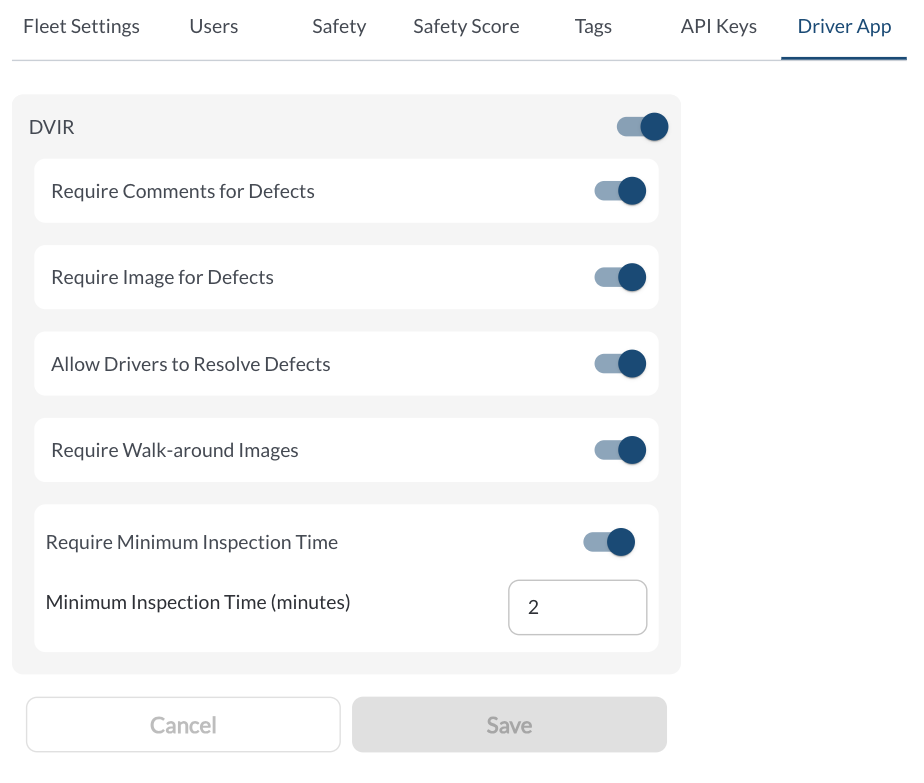
Available Settings
| DVIR | Enables or disables DVIR functionality in the Driver App. When disabled, drivers won’t be able to complete inspections. |
| Require Comments for Defects | Requires drivers to include a comment whenever a defect is reported. |
| Require Image for Defects | Requires drivers to attach an image per reported defect. |
| Allow Drivers to Resolve Defects | When enabled, drivers can change the status of a defect, marking it as Resolved, Unresolved (Critical or Non-critical), or Dismissed. If this setting is turned off, drivers will not be able to modify defect statuses from the Driver App. |
| Require Walk-around Images | Requires drivers to upload 3 “walk-around” photo per inspection. |
| Require Minimum Inspection Time | Displays a visible timer during the inspection process. The timer starts when the inspection begins and remains red until the minimum time is reached, then turns green to indicate that the minimum inspection duration has passed. |
| Minimum Inspection Time (minutes) | Defines the minimum time (in minutes) required to complete an inspection. The default value is 8 minutes. |