Improvement: Column Reordering in the Assets Table
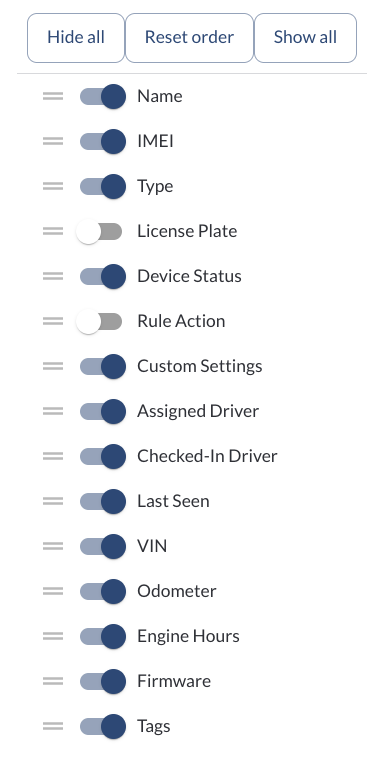
The Assets table now supports column reordering. Drag and drop any column header to rearrange the order of columns to match your preferred layout.
Learn more → How to Use Tables in the App
Improvement: User Preferences Panel
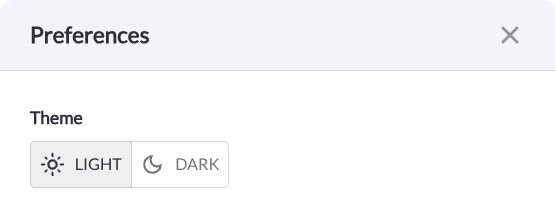
A new Preferences option is now available when clicking on your username in the Fleet Portal. From the Preferences panel, you can switch between Light and Dark mode to match your viewing environment.
Learn more → Getting Familiar with the Main Menu
Note
The light/dark mode toggle has been moved here from its previous location.
Improvement: Driver License Fields Added to Drivers Table
The Drivers table now includes two additional columns: Driver License and Driver License State.
Note
The driver’s license numbers are masked by default to limit access to personal data. A Show button is available to reveal the full license number,
but this option is only accessible to users with an Admin
role.
Learn more → Managing Your Fleets Drivers
Bug Fixes
Area / Page |
Description |
Assets - CSV Export |
Fixed an issue where the Installation Date column was missing from the CSV export. |
Driver App - Login |
Fixed a login issue affecting drivers with duplicate email addresses. Unique email addresses are now enforced for all driver accounts. |
| Device Health |
Fixed an issue where devices were incorrectly appearing as unhealthy in the system. |