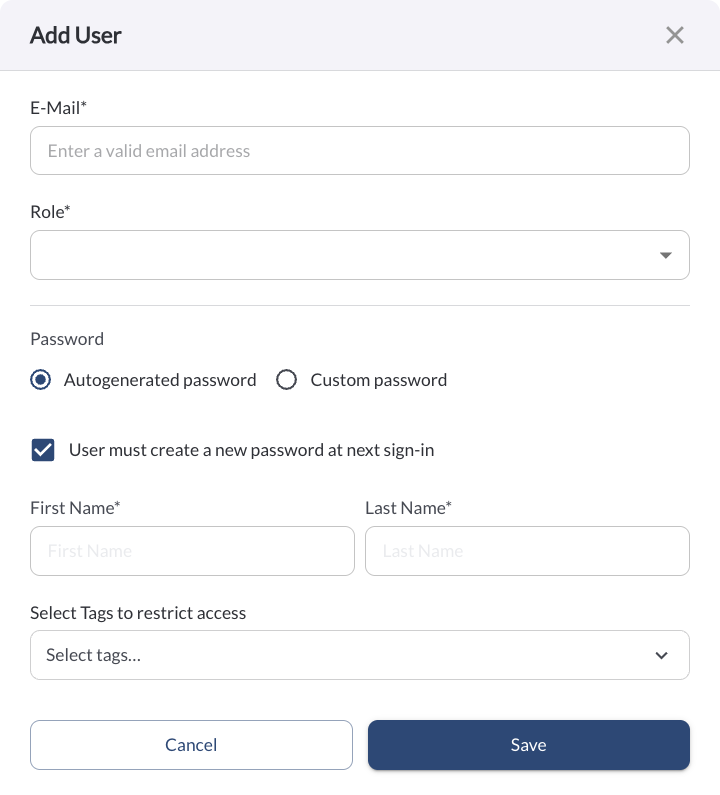
New: Automated Welcome Email for New Users
The user creation flow has been updated to improve security and simplify onboarding. When a new user is created, they will automatically receive a welcome email containing a one-time password. On their first login, they will be prompted to set a new password. Fleet managers no longer need to manually configure and share passwords when adding new users.
Learn more → User Settings
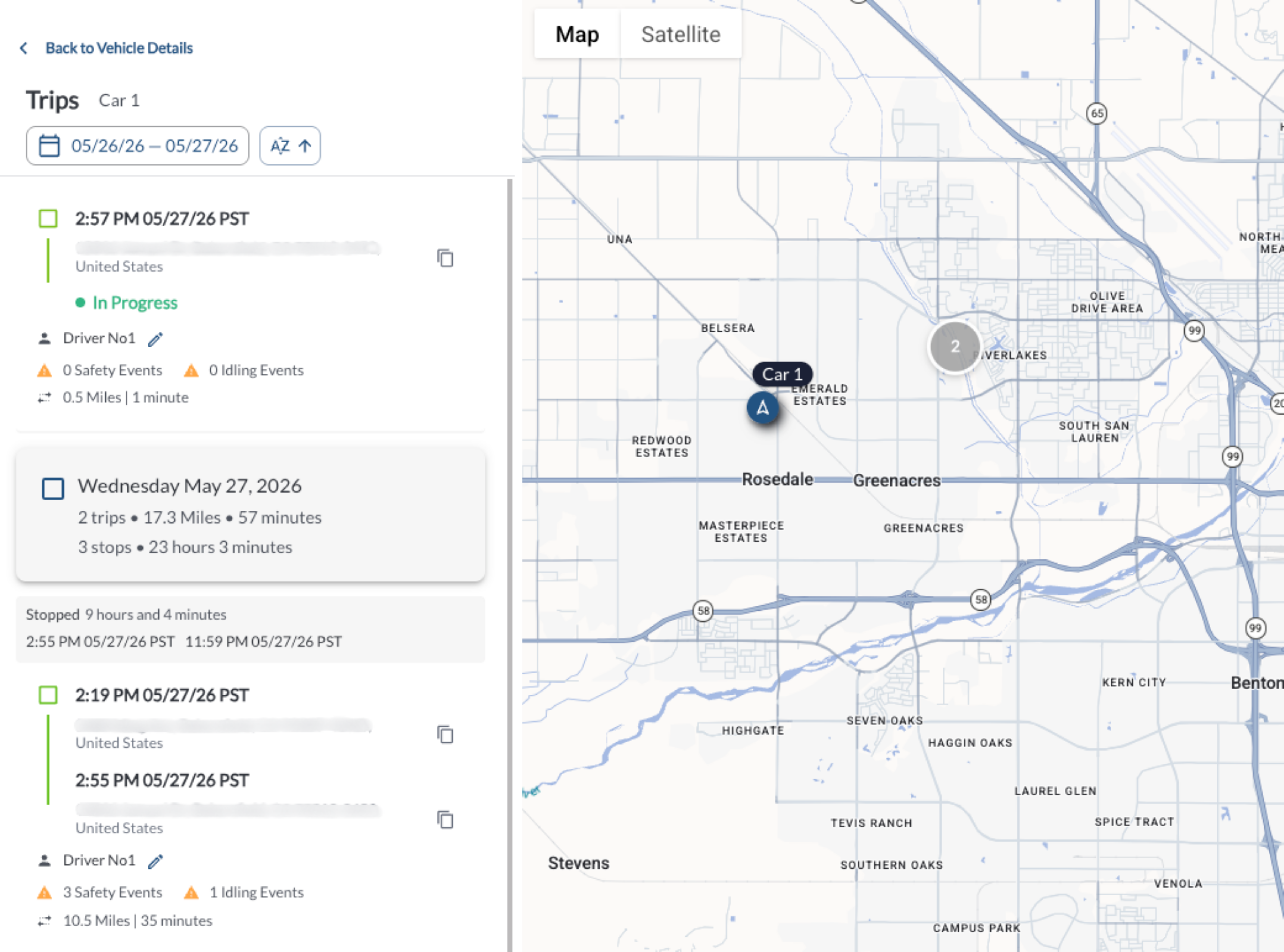
New: In-Progress Trips on the Map
The Maps View now displays in-progress trips in real time. The in-progress trip is pinned at the top of the vehicle's trips rail and updates automatically as new trips begin, keeping the trip history current without any manual refresh.
Learn more → How to View Vehicle Trips from the Map
Improvement: Saved Views and Scheduled Reports Extended to More Pages
Saved views and scheduled report scheduling are now available in the Rules Log and have been extended across additional report pages, including Performance, Idling, Geofence, and Check-In tables. This makes it easier to save preferred configurations and automate report delivery across more areas of the Fleet Portal.
Learn more → How to Use the Custom Report Widget
Improvement: Enhanced Alert Email Notifications
Alert notification emails now include additional information to help fleet managers act faster without logging into the Fleet Portal. Emails now display the event name, along with direct links to alert media and safety event media, making it easier to review and respond to events directly from the notification.
Improvement: Scheduled Reports Delivered as a Single Download
Scheduled reports now deliver a single compressed zip file per run, consolidating all report files into one download.
Note
Report emails no longer include report data as an attachment - instead, recipients
receive
a link to sign in to the Fleet Portal and download the report directly from
the Triggered tab,
where access is governed by their role and tag permissions.
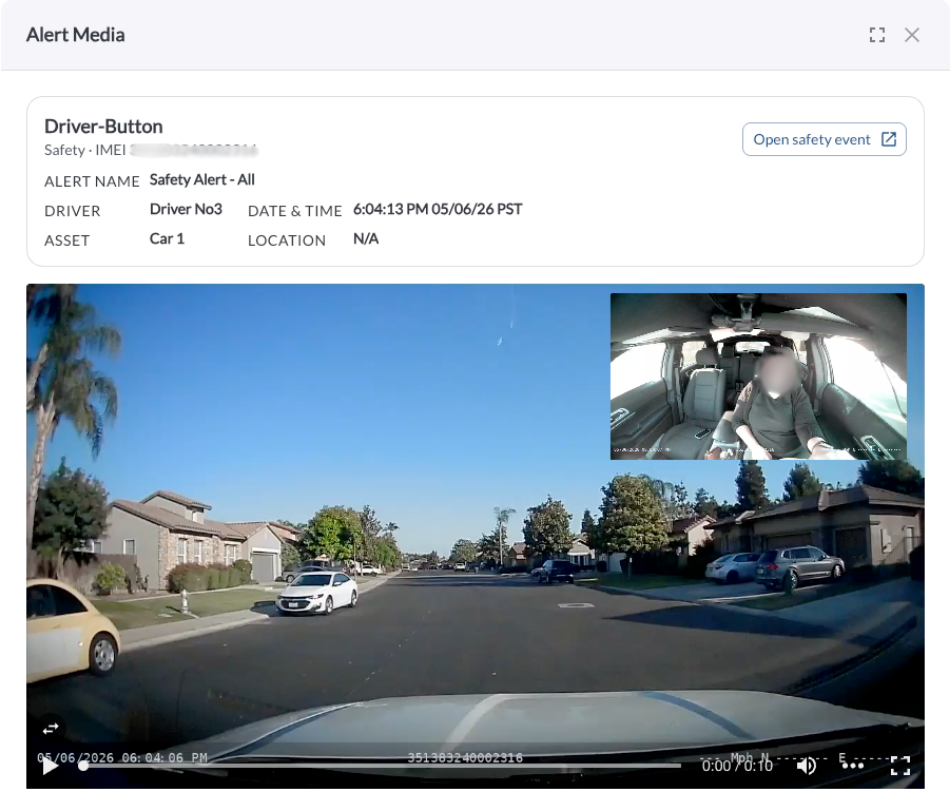
Improvement: Alert Media Enhancements
The Alert Media dialog has been redesigned for a clearer, more efficient review experience. The updated layout features a picture-in-picture video player with full screen support, a compact two-column metadata view, and action buttons displayed inline with the title. The alert event media page now shows full incident details, the rule name, and direct links to the triggered alert and associated safety event.
Learn more → Understanding the Alerts & Rules Page
Bug Fixes
| Area / Page |
Description |
| Users / Drivers |
Fixed an issue where creating or editing users and drivers with 2-character first or last names was returning an error. |
| Fleet Portal |
Fixed an issue where the portal would fail to load after a new release. A hard refresh or cache clear is no longer required. |
| Triggered Alerts |
Fixed an issue where the Alert Name column filter was not working correctly. Alert names now appear in a compact picker for easier filtering. |
| Alerts |
Fixed an issue where alert names containing spaces or special characters were being rejected. Alert names now support all characters within a 1–60 character length limit. |
| Alert Emails |
Fixed an issue where vehicle speed in geofence and speeding alert emails was not respecting the fleet's configured unit system. Speed now displays in the correct unit. |
| Alert Emails |
Alert emails now link directly to the triggered alert. For safety incident alerts, the email also includes a direct link to the associated safety event. |