Coach Assist is an AI-generated briefing that appears on the Driver Coaching Session page, above the event videos. It summarizes what the driver's recent record shows, so a coach can walk into the conversation prepared rather than piecing the history together manually.
Coach Assist is enabled separately from the Driver Safety Program. If the card does not appear on your coaching session page, it is not enabled for your account – contact your reseller to have it enabled.
Sections
The card is divided into collapsible sections. Click a section heading to expand or collapse it.
Most Frequent Behaviors
The behaviors recorded for this driver over a 90-day window, listed with an event count each and the highest-frequency behavior called out, alongside a bar chart of the same data.

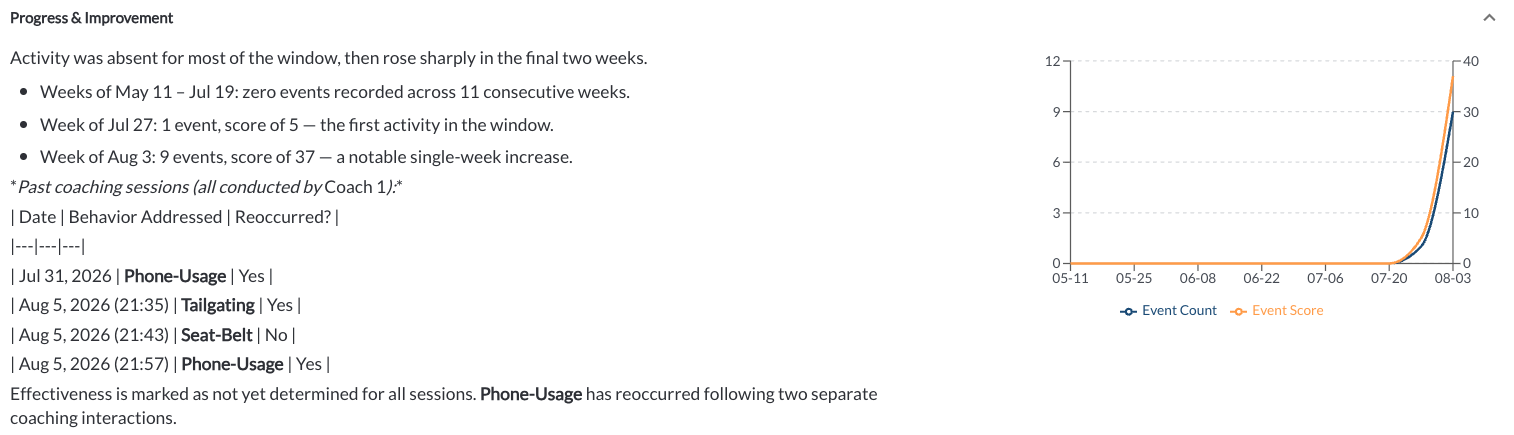
Progress & Improvement
How the driver's recent record compares with their earlier record.
Today's Behaviors: Key Insights
Observations about the specific events on the task you are about to coach.

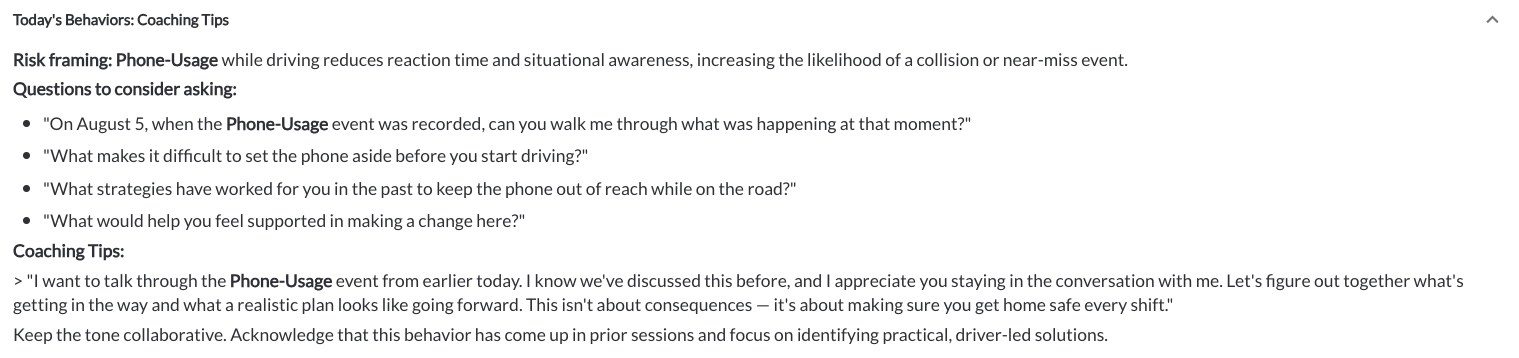
Today's Behaviors: Coaching Tips
Suggested talking points for those behaviors.
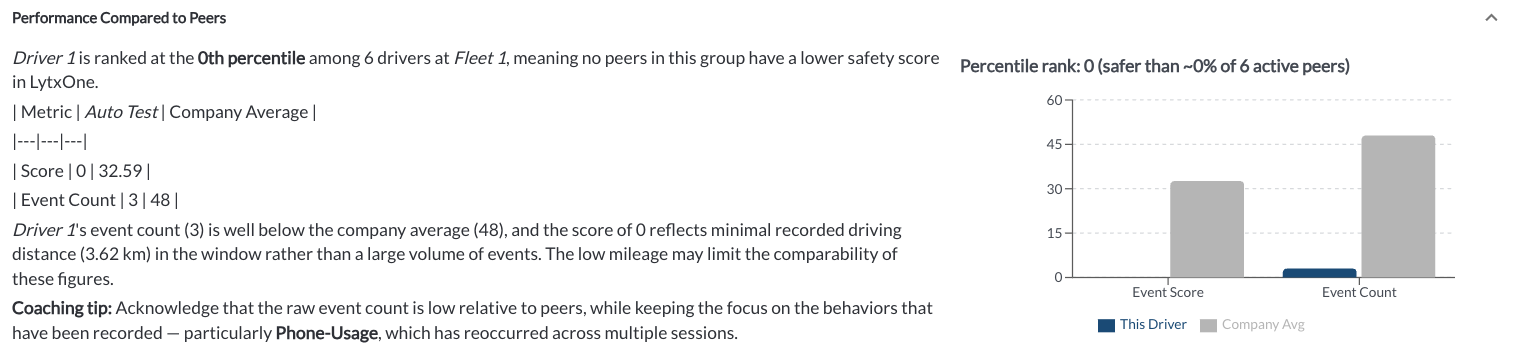
Performance Compared to Peers
How the driver's record compares with other drivers.
Ask Coach Assist
A text box at the bottom of the card lets you ask a follow-up question about the driver in plain language. Type your question and send it to get an answer based on that driver's record.
Use it to fill in what the sections above do not cover – for example whether a behavior appears more often at a particular time of day, or how the driver's record has changed since their last session.

Data Freshness
A line at the foot of the card shows when the content was last generated, both as elapsed time and as a timestamp. Use the refresh icon to regenerate it if the driver's record has changed since.
Accuracy and Appropriate Use
The card carries the following notice:
Content displayed in this feature is provided for informational purposes only and may vary based on data availability. Content includes data generated by AI, which is not to be used for employment-related decisions without appropriate human supervision.
Warning
AI-generated responses may be incomplete or inaccurate – always verify before acting on safety or operational decisions.
Usage and Cost
Coach Assist consumes AI usage, which is metered and charged against a monthly budget. When Coach Assist is enabled, an AI Usage tab appears in Settings showing month-to-date spend, request counts, and a breakdown by feature. Read the article AI Usage & Cost Settings.
Note
Each use of the refresh icon and each question asked through Ask Coach Assist generates a new request and adds to your monthly usage.