New: More Control Over Accelerometer Events
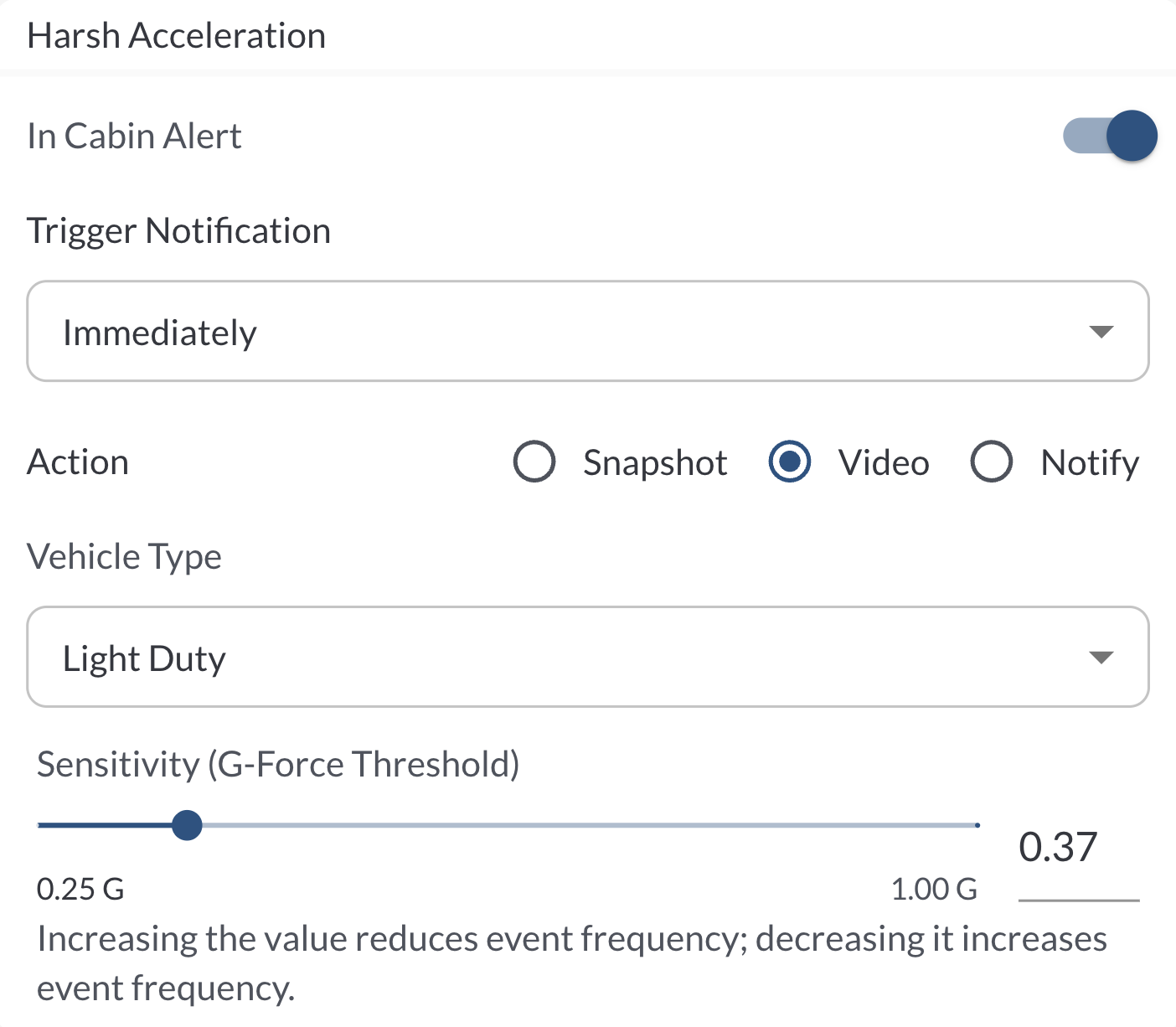
Accelerometer events now include three new configuration options:
-
In-Cabin Recording – Enable or disable in-cabin recording when an accelerometer event is detected.
-
Trigger Notification – Choose whether accelerometer events should generate real-time notifications.
-
Sensitivity (G-Force Threshold) – Adjust the G-force threshold to control how sensitive event detection is.
Learn more → Understanding Safety Events
New: Download Options for Driver Check-In & Triggered Alerts
New Download buttons are now available on the Driver Check-In Report and Alerts > Triggered pages, allowing fleet managers to easily export report data for offline review, sharing, and compliance needs.
Bug Fixes
| CSV Issues |
Trips - Fixed missing Total Distance, Safety Events, and Tags fields in the downloadable CSV export |
| |
Driver Performance Report - Fixed missing Tags fields in the downloadable CSV export |
| |
Vehicle Performance Report - Fixed missing Tags fields in the downloadable CSV export |
| |
Safety Center - Fixed missing IMEI and Tags fields in the CSV exports. |
| |
Alerts - Corrected trigger count mismatch between UI and CSV export. |
| |
Geofences - Resolved broken time fields in the CSV export. |
| |
Geofence Vehicle Report - Fixed missing Tags fields in the downloadable CSV export |
| |
Upcoming Scheduled Maintenance Report - Resolved NaN values in the Odometer field in the CSV export. |
| |
Settings>Tags - Fixed non-functional Download button. |
| General UI |
Various minor UI fixes and improvements. |