New: Stop Duration Display Between Trips
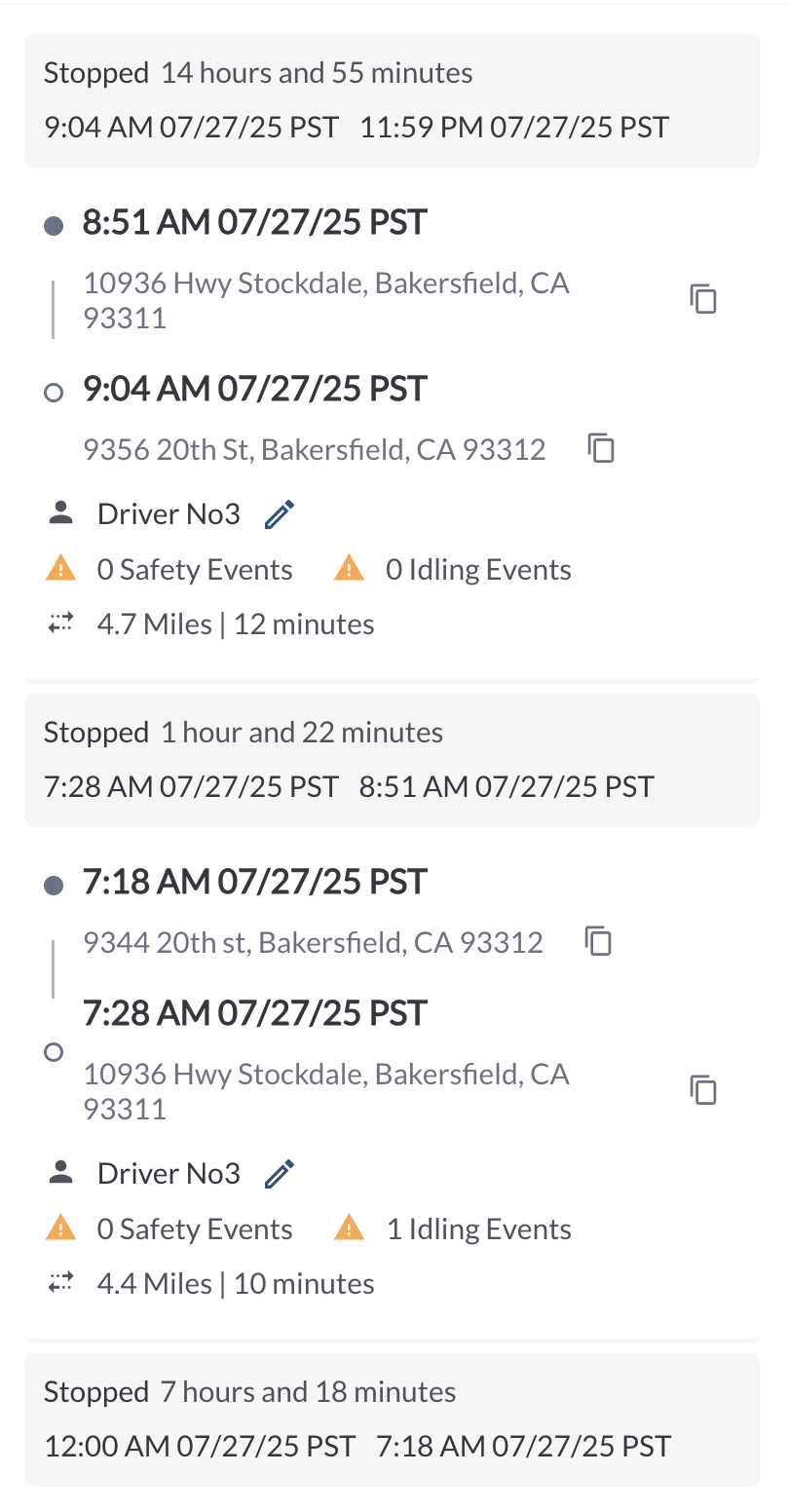
We’ve added a clearer view of vehicle activity by displaying stops between trips directly in the trip list on the map view. These stops represent periods of full inactivity between the end of one trip and the start of the next. Each stop entry appears in gray and includes the stop duration along with the start and end timestamps, giving you better visibility into how vehicles are used throughout the day.
Learn more → How to View Vehicle Trips from the Map
New: Daily Summary Header
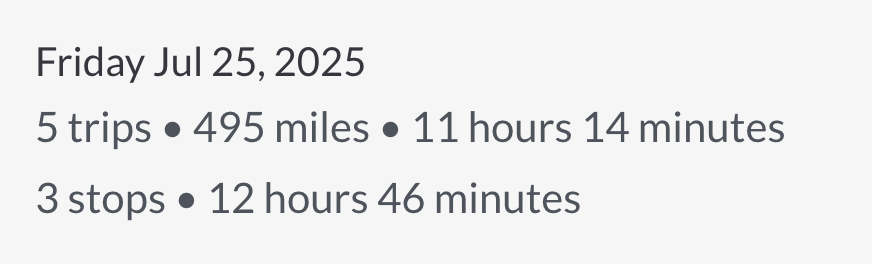
At the top of each day’s trip list, you’ll now see a daily summary that shows the number of trips and their combined duration, along with the number of stops and the total stop time for the day. This gives you a quick snapshot of overall daily activity at a glance.
Learn more → How to View Vehicle Trips from the Map
Improvement: Idling Time Calculation in Trips Report
We’ve enhanced the way idling events are calculated, resulting in more accurate idling time data in the Trips Report. The updated logic ensures that idling duration per trip reliably reflects true engine-on, stationary periods, whether they occur at the start, during, or end of the trip.