The Safe Driving Report identifies drivers who are eligible for positive recognition in a calendar quarter, and lets managers record a decision for each one. Two tabs are available: Drivers and Groups.
Drivers Tab
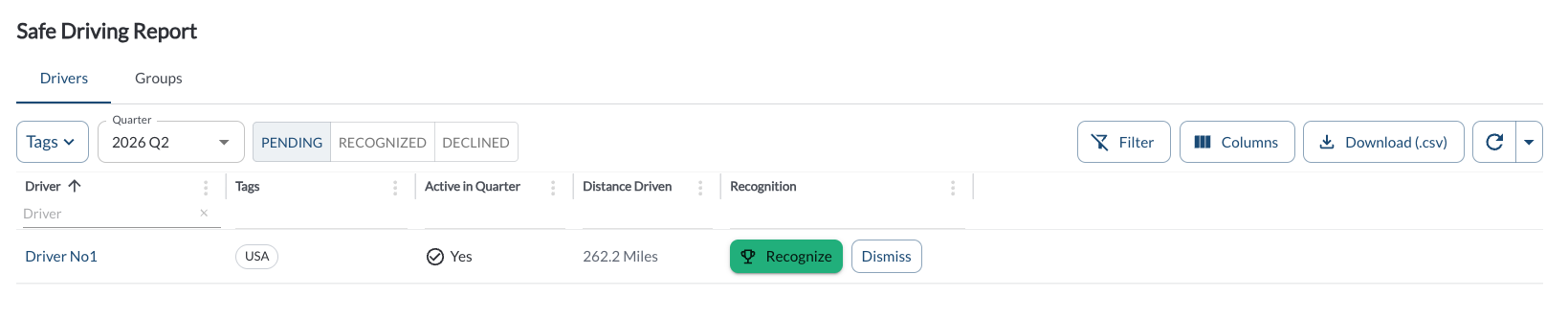
The Drivers tab is a review queue rather than a static list. It shows eligible drivers who do not yet have a decision recorded for the quarter. A row leaves the list as soon as a decision is made.
Use the view toggle in the toolbar to switch between:
| Pending |
Default view. Eligible drivers with no decision recorded yet. |
| Recognized |
Eligible drivers who already have a recognition for the quarter. Read-only. |
| Declined |
Eligible drivers you chose not to recognize. Each row offers Undo Decline, which returns the driver to Pending. |

Columns:
| Driver |
The driver's name. Click it to open the driver profile. |
| Tags |
The groups the driver belongs to. |
| Active in Quarter |
Yes or No. Shows the activity part of the eligibility rule, which distinguishes a driver who did not drive from one who drove without coachable events. |
| Distance Driven |
Distance travelled in the quarter. The unit follows your fleet's unit system setting. |
| Recognition |
In the Pending view, the Recognize and Dismiss actions. In the other views, the date of the decision. |
How to Recognize a Driver
- Go to Driver Safety > Safe Driving Report and select the quarter.
- Stay on the Drivers tab in the Pending view.
- Review the Distance Driven value to confirm the recognition is meaningful for that driver.
- Click Recognize.
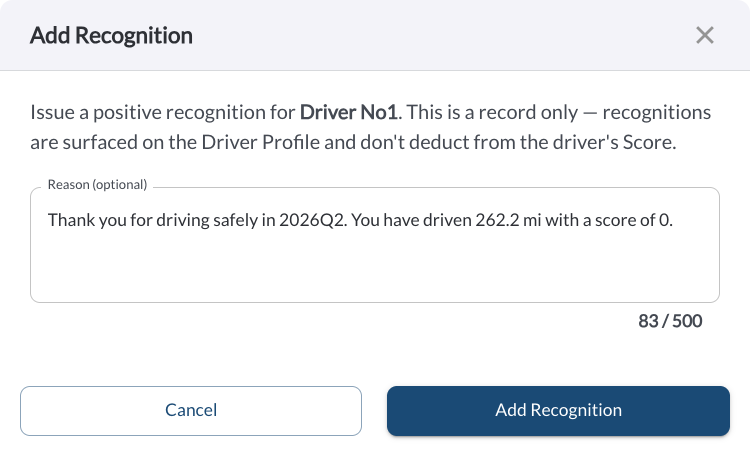
- Edit the pre-filled reason if you want to, then click Save.
The recognition then appears on the driver profile, in Library > Recognition History, and in the Recognized view of this report.
How to Decline a Driver
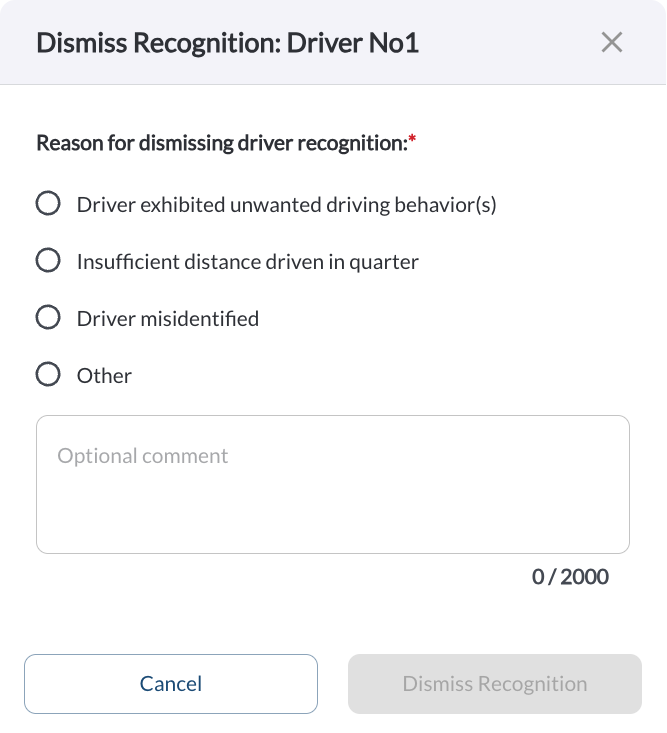
- Click Dismiss on the row.
- Confirm in the dialog.
The driver leaves the Pending view and does not reappear until the next quarter. No recognition is recorded.
Note
Dismiss on this report is a decision about a quarterly recognition only.
It is not the same as the Dismiss action on a safety event: the driver
stays eligible, their events are unchanged, and their Safety Score is
unaffected.
Groups Tab
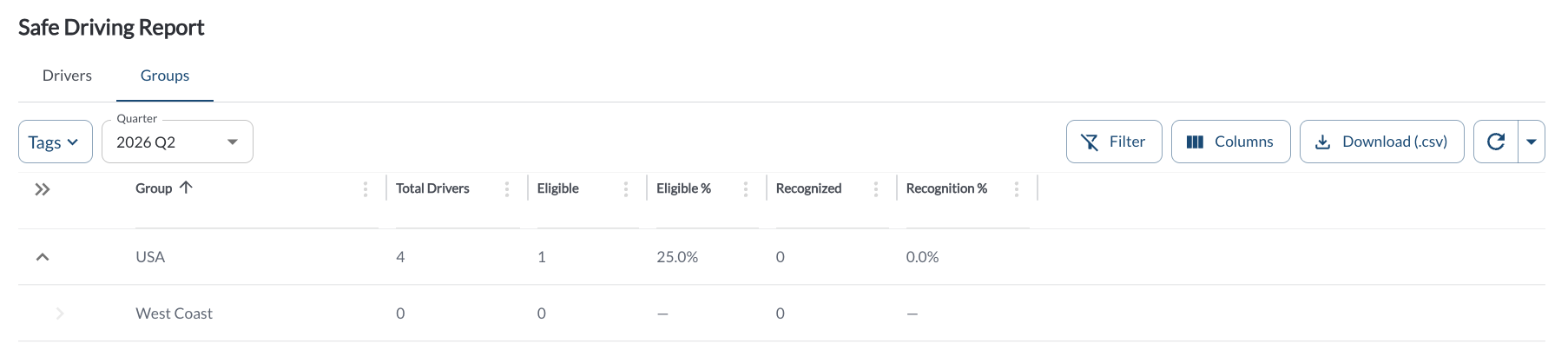
An expandable view of recognition coverage per group. Each row rolls up the group itself plus all of its child groups. Click the caret to expand.
| Group |
The group name. The column header carries the group filter. |
| Total Drivers |
Distinct drivers in the group and its child groups. |
| Eligible |
How many of those drivers meet the eligibility rule. |
| Eligible % |
Eligible divided by Total Drivers. |
| Recognized |
Drivers with at least one recognition in the quarter, from any source. |
| Recognition % |
Recognized divided by Total Drivers. |
Note
Drivers with multiple tags are counted in each applicable group.
Filtering
-
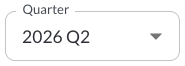
Use the Quarter Picker to select a different quarter, the last eight calendar quarters, newest first. The current quarter is labelled (current).
-
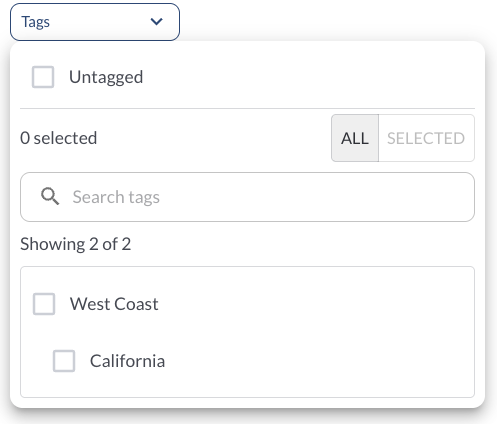
Use the Tag Filter to narrow down the table to display only trips associated with specific tags.
Refresher Widget
Keep your data up to date by using the Refresher Widget. This allows you to reload the table data so you're always viewing the latest information. To learn more, read the article How to Set the Refresher Widget.