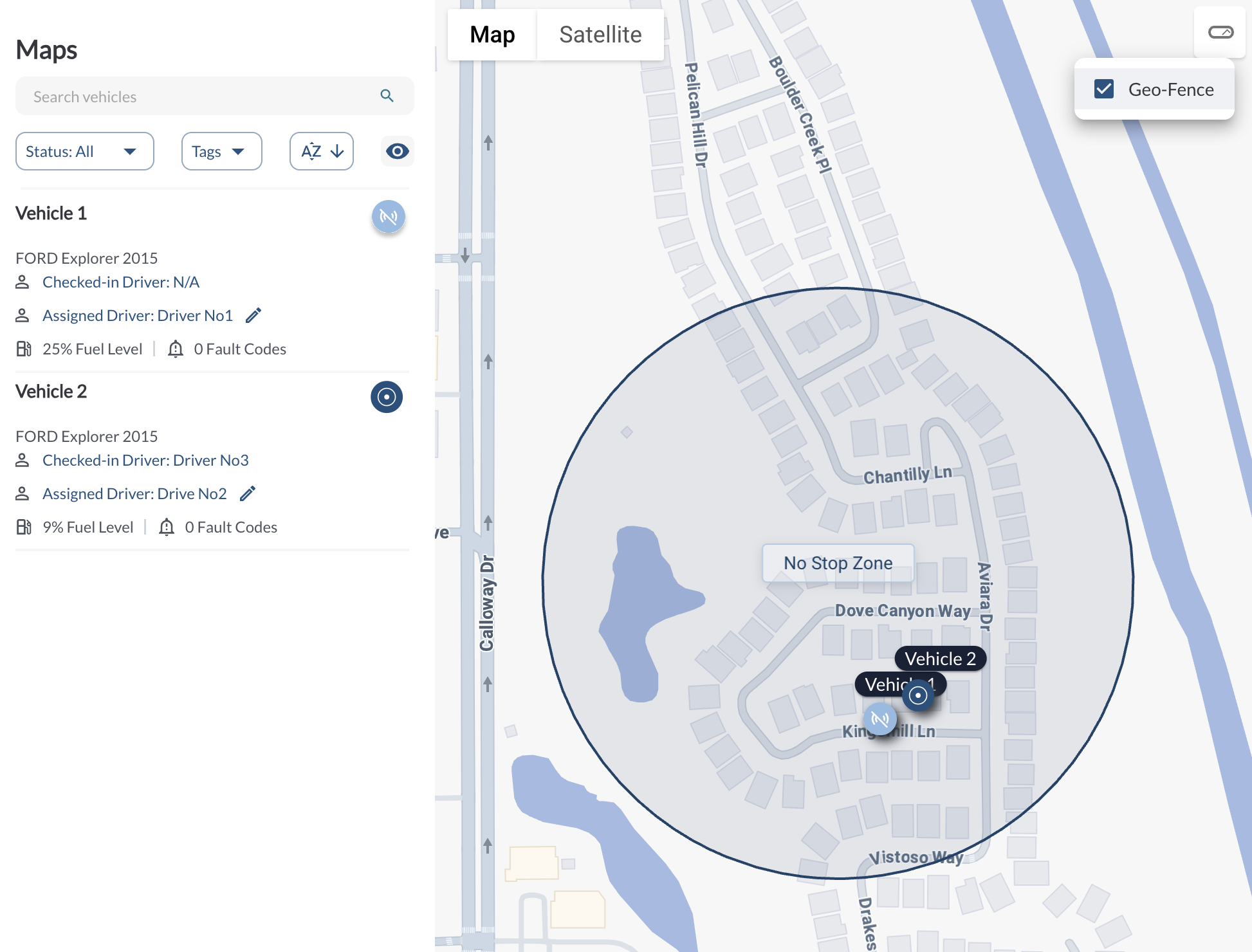
New: Geofence Display on Main Map
You can now view geofences directly on the main map using a new toggle in the top-right corner. This makes it easier to analyze trip behavior, verify boundary crossings, and understand location context, all without switching views.
Learn more → Map View Overview
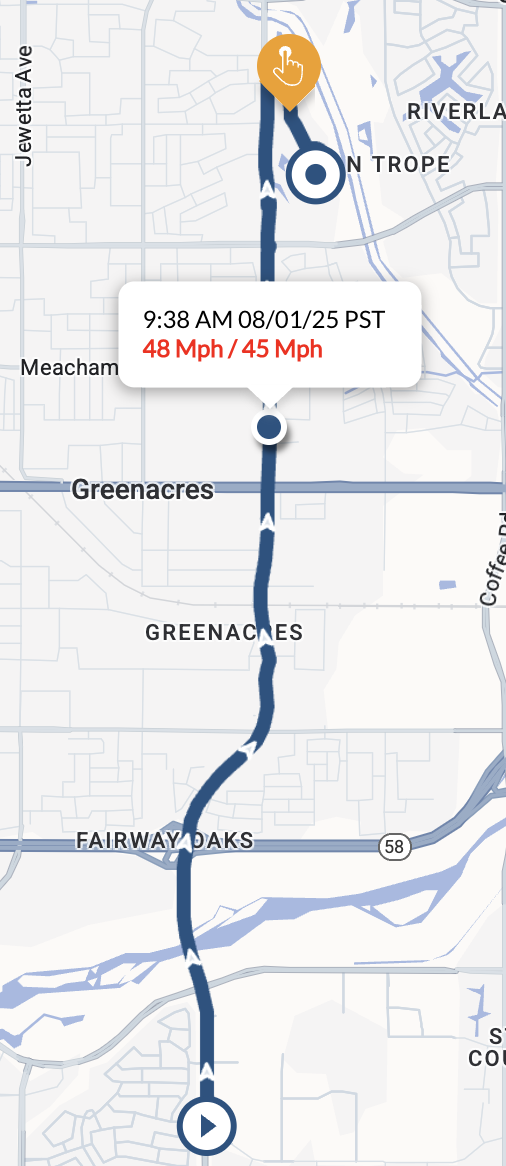
Improvement: Posted Speed Shown in Trip Breadcrumb
The trip breadcrumb now displays the posted speed alongside the actual driven speed. If the driven speed exceeds the posted speed, the value is highlighted in red, helping you instantly spot speeding events during trip playback.
Learn more → How to View Vehicle Trips from the Map
Improvement: Timezone Formatting in CSV Exports
We’ve updated time formatting in CSV exports to align with the fleet’s selected timezone. Trip exports now show start and end times in the fleet timezone, and service dates in the maintenance report are also formatted accordingly.
Improvement: Fleet Timezone Used for Events
Event timestamps on the map view, including idling events, are now shown in the fleet’s timezone instead of the device’s local time. This update ensures consistent time representation across the map, trip playback, and event review.