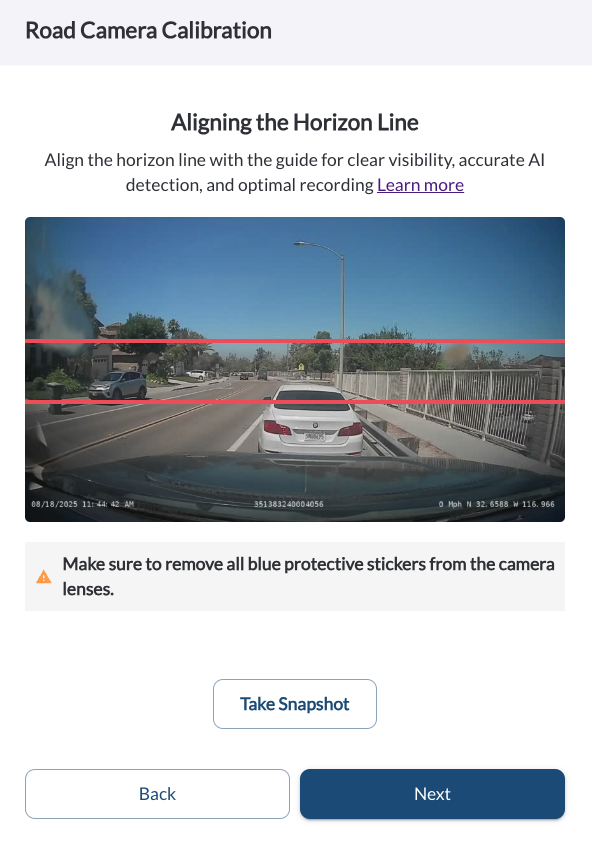
New: Blue Sticker Reminder Note
We’ve added a blue sticker note on the Camera Adjustment page to remind installers to remove the protective sticker from the lens during setup. This ensures clearer video quality and avoids common installation mistakes.
Learn more → Activate, Verify, Complete Installation
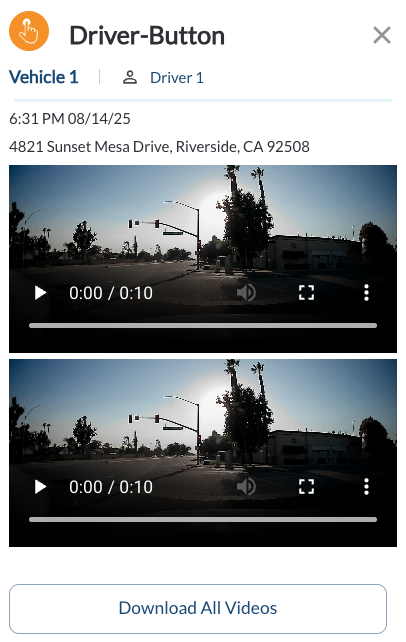
New: Download All Event Videos
A new Download All button is now available on event videos. You can download all clips from an event in one step, whether reviewing in the Map, Safety Center or during a Coaching Session.
Learn more → Understanding the Event Details Panel
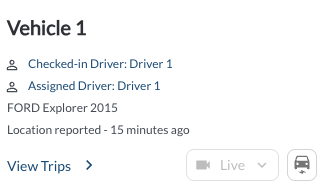
New: Wake Up Button on Vehicle View
A new Wake Up button on the Map’s Vehicle view lets you request the device to wake. Use it to quickly get recordings directly from the map.
Learn more → Exploring Vehicle Details on the Map
New: Custom Settings Column on Vehicles Page
We’ve added a new Custom Settings column to the Vehicles page. This shows a simple Yes/No flag so you can quickly identify if a vehicle has settings that override the fleet defaults.
Learn more → Managing Your Fleets Vehicles

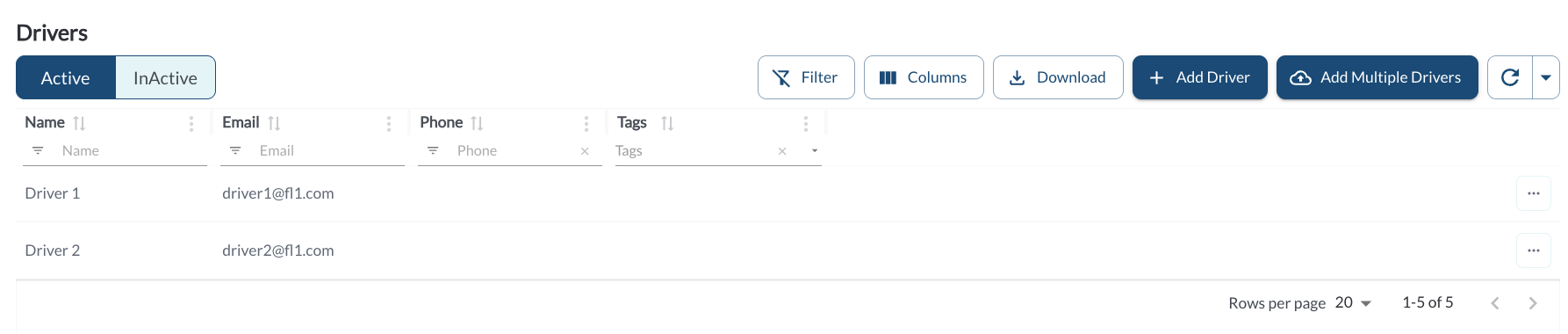
New: Bulk Driver Upload
You can now upload multiple drivers at once using the new Bulk Driver Upload option. Simply import a CSV file to quickly add driver records, saving time and reducing manual entry.
Learn more → How to Add or Edit a Driver