New: Driver Safety Program - DSP (Initial Release)
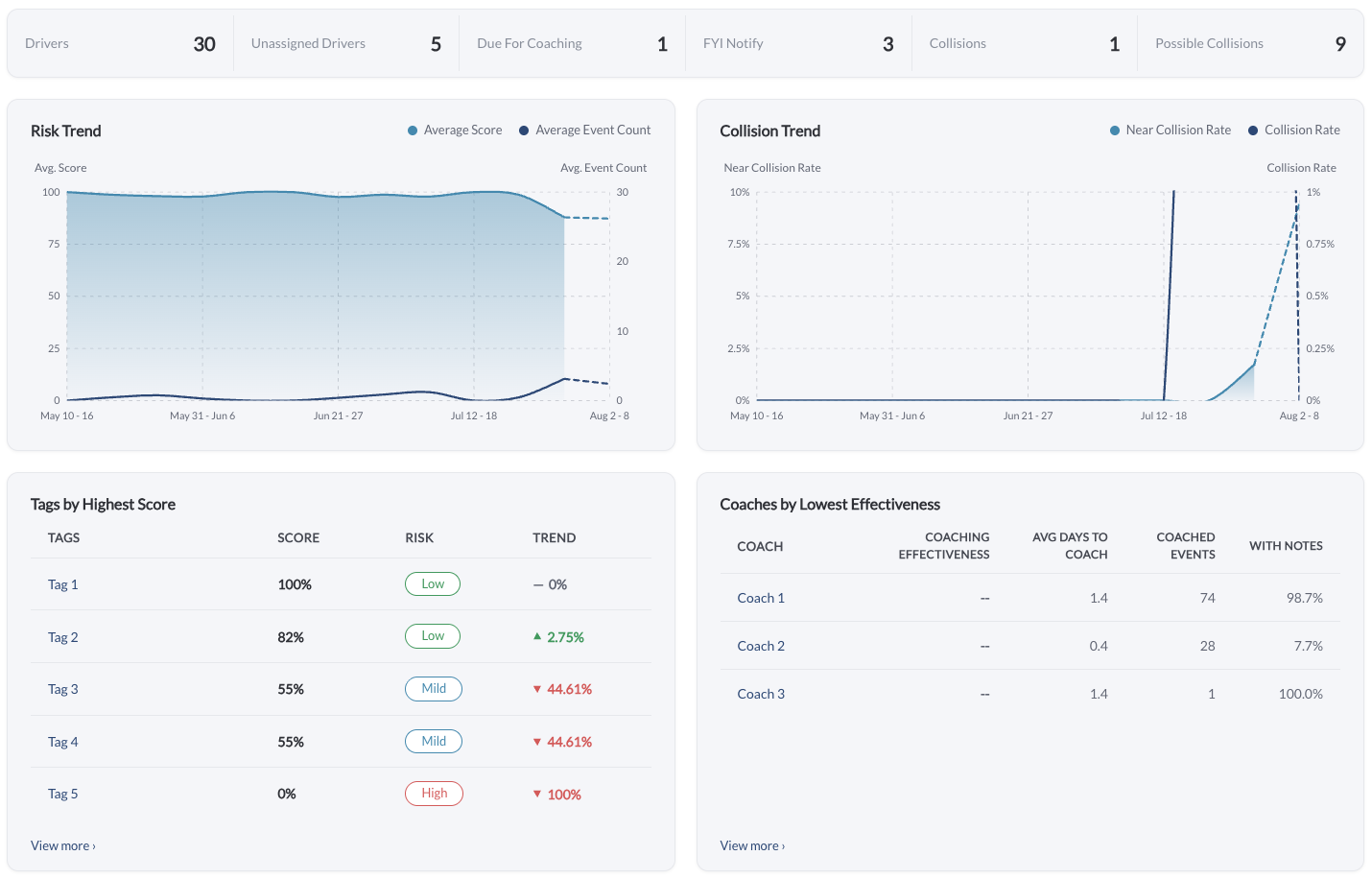
The Driver Safety Program is a structured coaching workspace in LytxOne™. It takes the safety events recorded by your cameras and devices and organizes them into coaching tasks per driver, giving fleet managers and coaches the queues, reports, and settings needed to run a repeatable coaching program.
Learn more → Driver Safety Program Overview
Note
This is an initial release and is available only upon request.
New: AI Event Review (Initial Release)
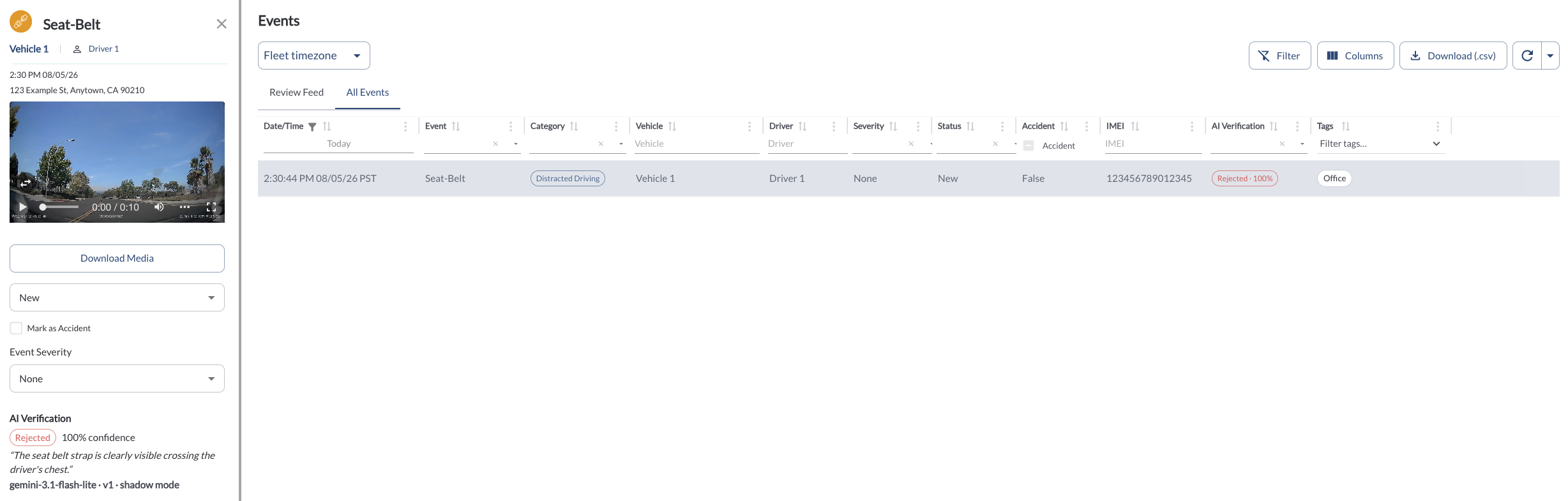
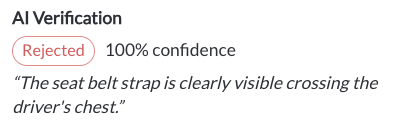
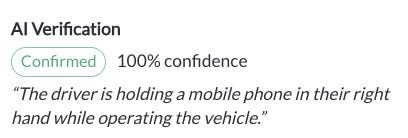
AI verification is now available for Seat-Belt, Phone-Usage and Drinking/Eating events. When an event is triggered, the cabin image is checked against the behavior the device reported, and a new AI Verification column in the Events Library shows the result for each event. The column also supports filtering, so reviewers can pull all events with a given verdict and spot-check them against the video. Full details — verdict, confidence and the reason given — appear in the Event Details Panel next to the media.
In this phase, verification is informational only. Events are not dismissed automatically, and event status, alerts and Safety Score are unaffected. In future phases, confidently rejected events will be dismissed automatically before entering the coaching flow, helping reduce false positives.
**AI-generated responses may be incomplete or inaccurate - always verify before acting on safety, employment, or operational decisions.
Learn more → Library: Events
Note
This is an initial release and is available only upon request.
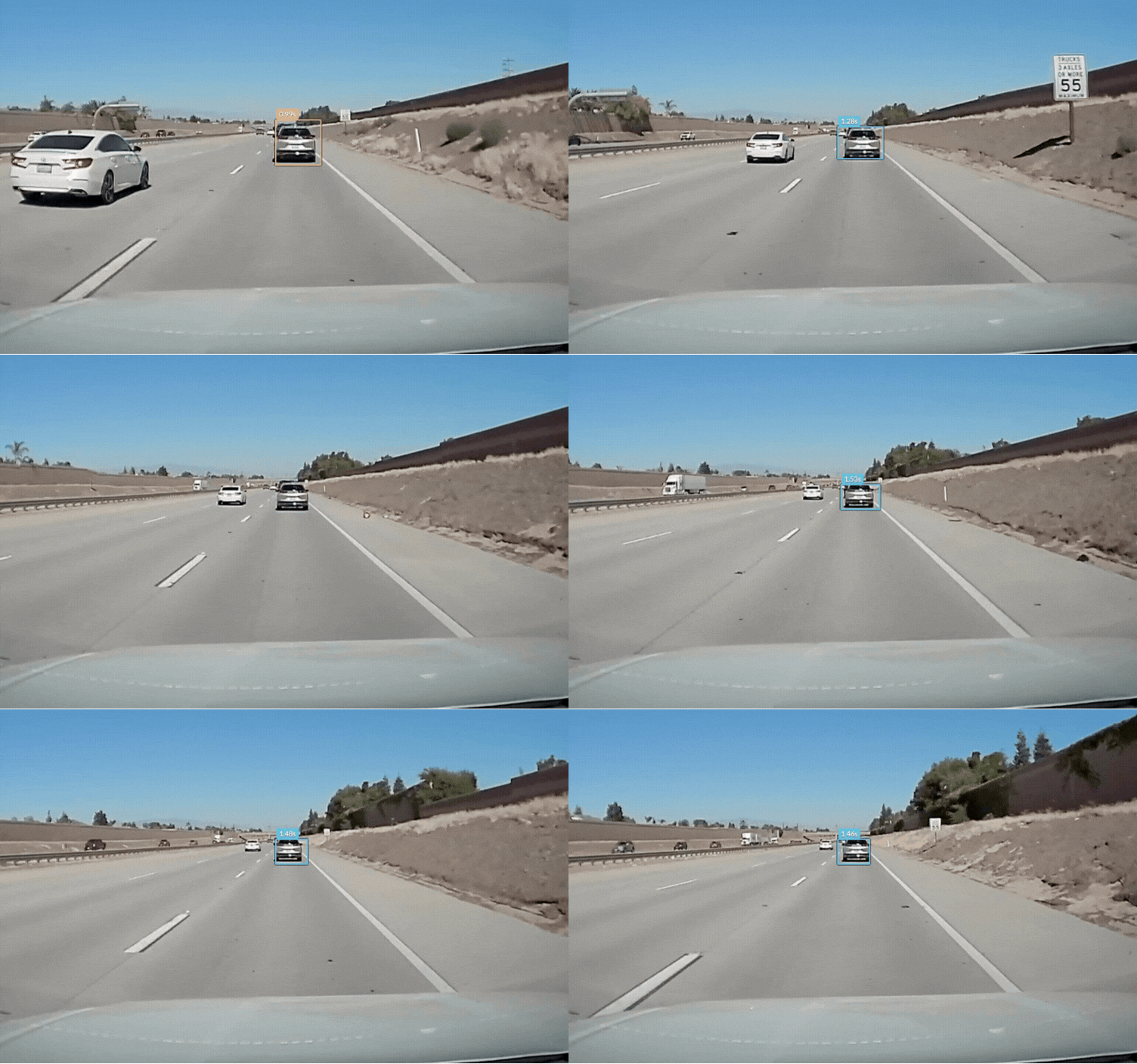
New: Tailgating Event Overlay
Tailgating events now display an overlay on the road camera video. A box is drawn around the lead vehicle, labelled with the following distance in seconds and color-coded by how close the vehicle got, making it easier to assess the severity of the event during review.
Learn more → Understanding In-Cab Detections
Improvement: Employee ID for Drivers and Users
An Employee ID field is now available for drivers and users, and must be unique within the organization. Set it from the add and edit dialogs or by CSV upload. Lists can be filtered and sorted by Employee ID, and the value is included in the CSV export, making it easier to match records in LytxOne with your own HR or payroll systems.

Learn more → How to Add or Edit Drivers | User Settings
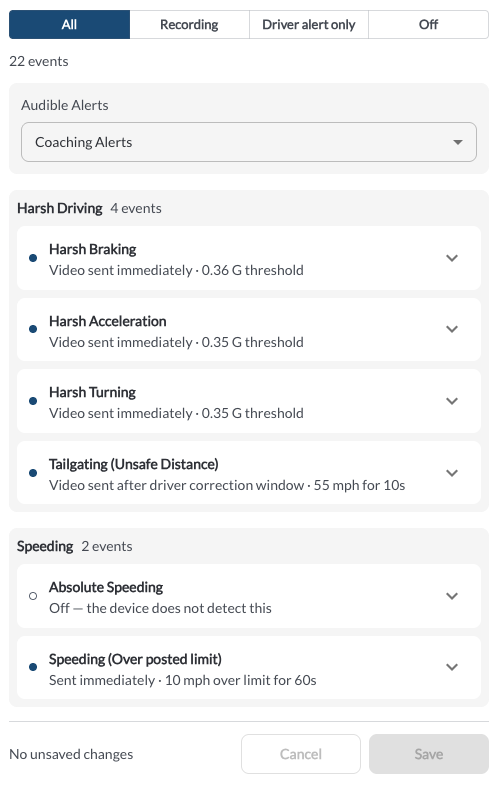
Improvement: Safety Settings Page Rebuilt
The Safety settings page has been rebuilt so each event states its own configuration in plain language. Every event now appears as a collapsible row with an on/off status dot, grouped by subject and filterable by All, Recording, Driver alert only, and Off.
Recording to the cloud and the in-cab driver alert are now separate controls. Turning off the in-cab alert for an event, such as harsh braking, no longer disables the event itself, so cloud recording continues as configured.
Learn more → Safety Settings
Improvement: Delivery Column in the Alerts Log
A new Delivery column in the Alerts Log shows whether each alert was sent, is still waiting, or was dropped, along with the reason it was dropped. The column is also included in the Alerts Log CSV export, making it easier to confirm that recipients received their notifications.
Learn more → Alerts Rules Overview
Improvement: Snapshot Review Renamed to Video Search
The Snapshot Review page has been renamed to Video Search. Functionality is unchanged; only the page name in the side menu has been updated.
Learn more → Video Search Overview
Bug Fixes
Area / Page |
Description |
| CSV exports and scheduled reports |
Fixed timestamp issues in CSV exports and scheduled reports. Exports now use the fleet's timezone, display a readable local date and time, and remain accurate during daylight saving changes. |
Trips |
Fixed a missing expand button on trips. |
| Maintenance |
Fixed the Mark as Serviced action for maintenance schedules in the mobile view. |
| Tables |
Fixed the row actions (⋯) menu missing for users assigned to a custom role. |