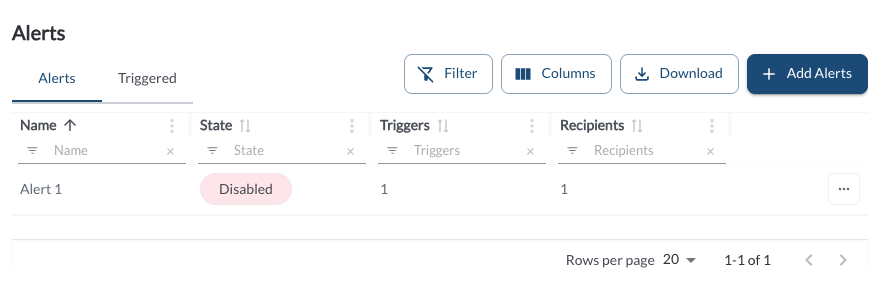
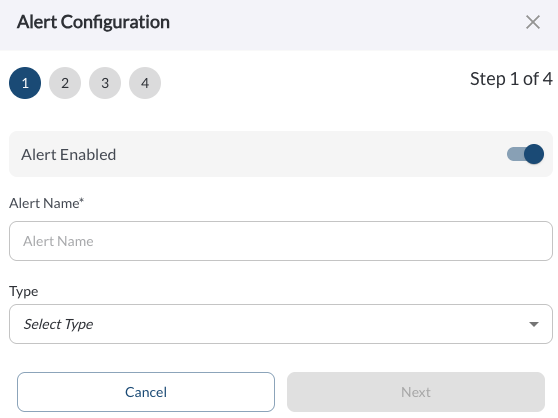
New Alerts Page & Alert Creation Wizard
View and manage all configured and triggered alerts in one centralized page. Create new alerts with custom time frames, apply them to specific assets or tags, and assign users to receive notifications. Use the history view to track when and how alerts were triggered.
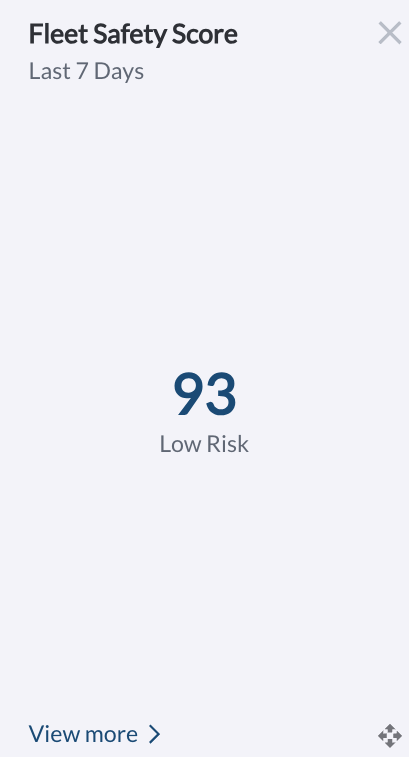
New Widget on the Main Dashboard: Fleet Safety Score
Displays your fleet’s average safety score over the past 7 days in a clear bar chart format. Learn more in Exploring the Fleet Dashboard.
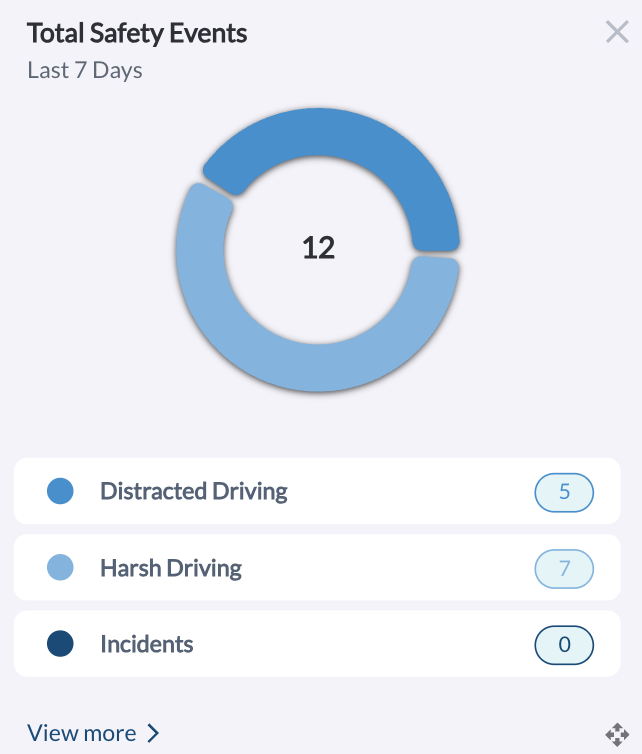
New Widget on the Main Dashboard: Safety Events by Category
Shows a pie chart breakdown of total safety events segmented by category (e.g., Harsh Driving, Distracted Driving, Incidents). Learn more in Exploring the Fleet Dashboard.
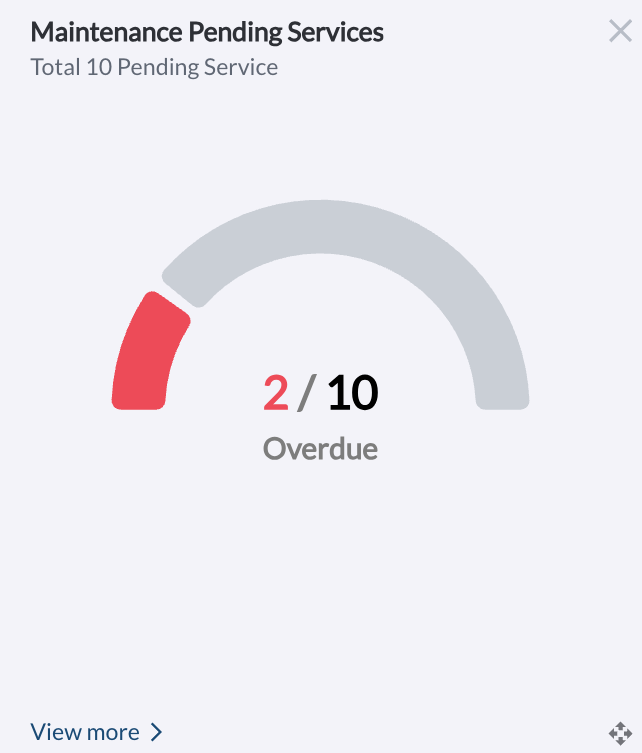
New Widget on the Main Dashboard: Pending & Overdue Maintenance
Displays a visual summary of all upcoming maintenance services, highlighting how many are currently overdue. Learn more in Exploring the Fleet Dashboard.
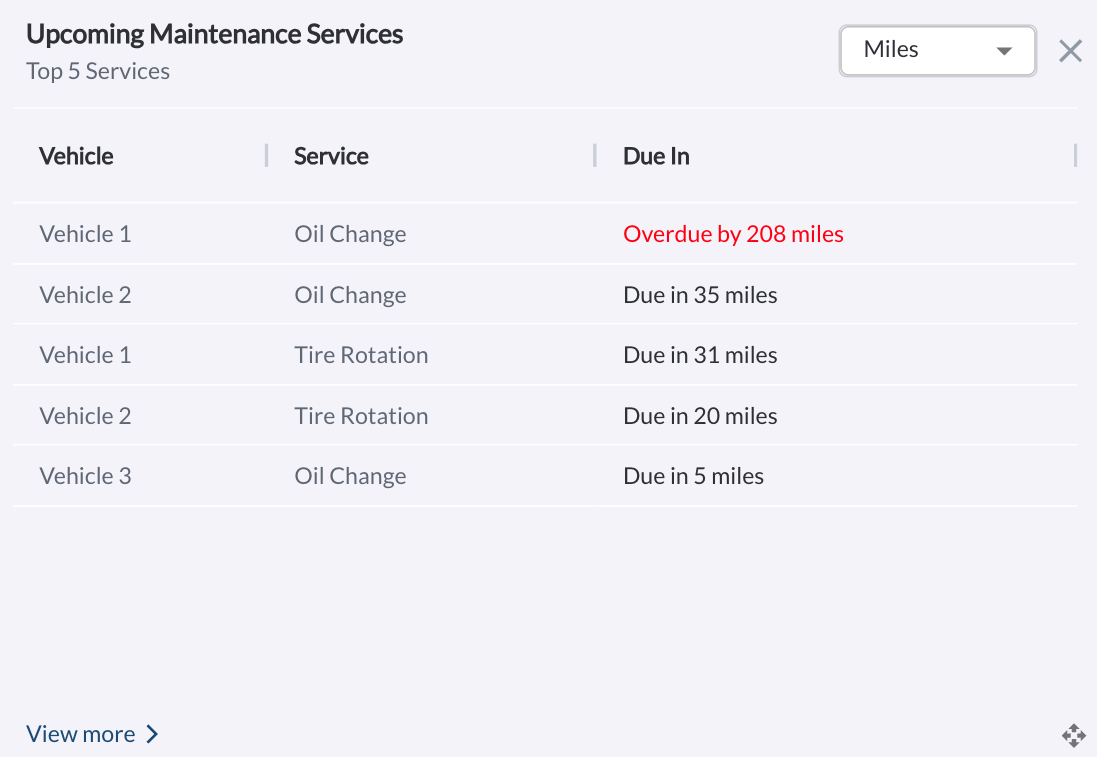
New Widget on the Main Dashboard: Upcoming Maintenance Services List
Lists the top five upcoming maintenance services across the fleet. Default sorting is by Due in Miles, with options to switch to Due in Days or Engine Hours. Learn more in Exploring the Fleet Dashboard.
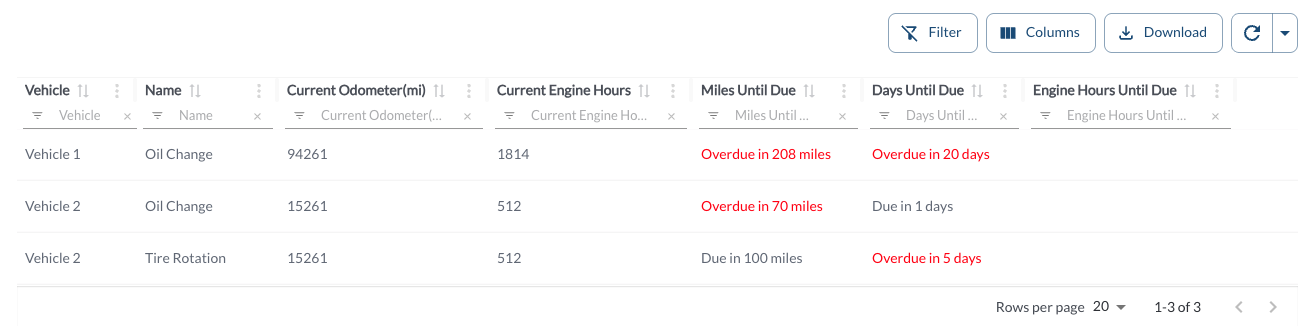
New Report: Overdue Scheduled Maintenance
Easily identify vehicles with overdue maintenance services using the new Overdue Scheduled Maintenance Report. This table displays all services that are past due by mileage, days, or engine hours. Learn more in Overdue Scheduled Maintenance Report.
New Report: Upcoming Scheduled Maintenance
Plan ahead with the new Upcoming Scheduled Maintenance Report, which shows all services that are approaching their due thresholds by mileage, days, or engine hours. Learn more in Upcoming Scheduled Maintenance Report.
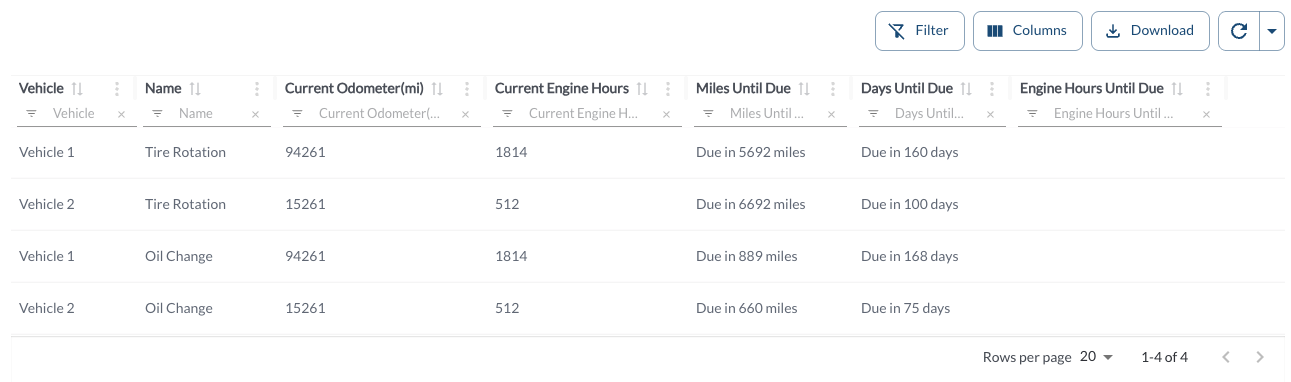
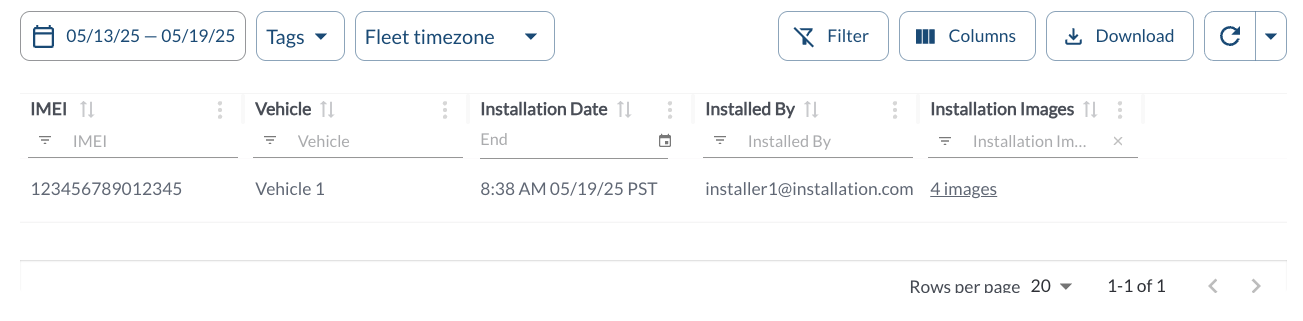
New Report: Installation Report
Track completed installations across your fleet with the new Installation Report. This report displays key details including installation date, installer name, associated vehicle, and uploaded images—making it easy to verify and audit installation activity. Learn more in Installations Report.
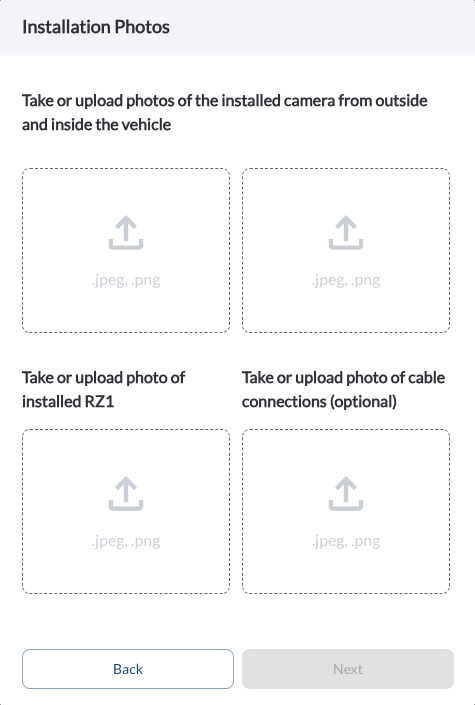
Installation Wizard: Add Verification Images
You can now upload verification images directly within the installation wizard. This allows installers to document completed work—such as device mounting or wiring—and ensures installation records are fully supported with visual proof.
Learn more in Installation Wizard: Step-by-Step Guide.
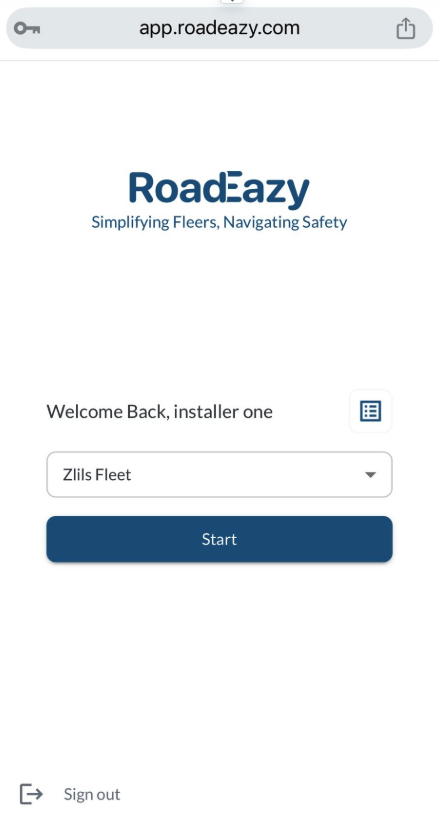
Installer Portal: View Installation History
Installers can now access a list of their previous installations directly from the portal. This makes it easy to review past work, confirm details, or troubleshooting.
Learn more in Installer Step 3: Activate, Verify, Complete.
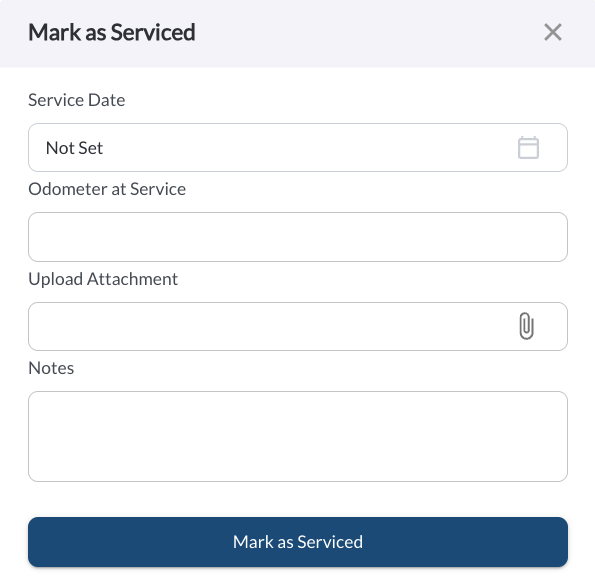
Mark as Serviced – Add Notes & Images
The Mark as Serviced dialog now supports uploading images and adding notes when logging a completed maintenance task. This enhancement improves service documentation by allowing users to attach receipts, inspection photos, and contextual notes directly to the maintenance record.
Learn more in the “Mark as Serviced” section in Understanding the Maintenance Page.